
Run your first Screpy website crawl
Start and understand your first Screpy website analysis, choose crawler settings, follow progress, and fix incomplete crawl results.
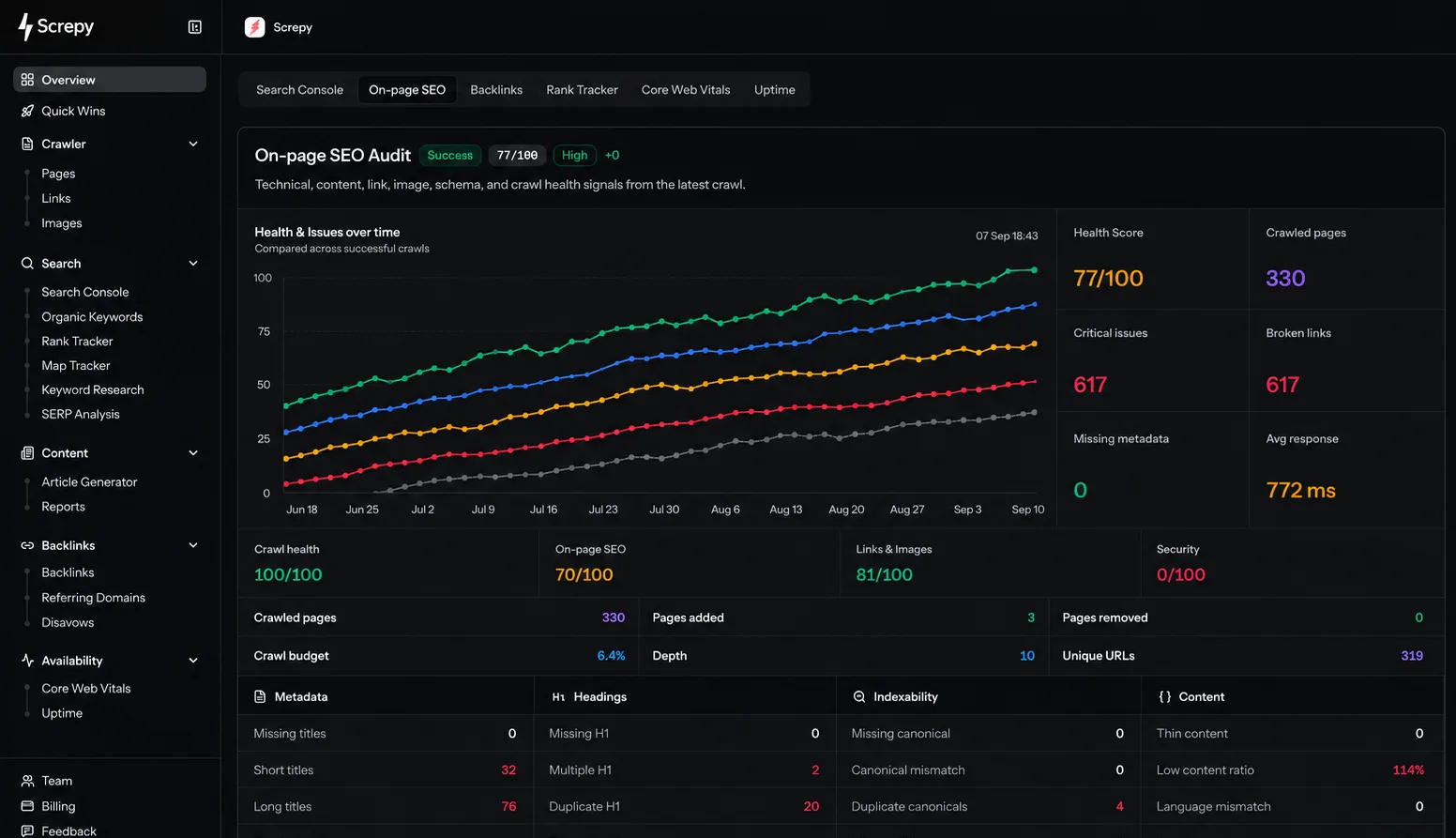
The first crawl creates a technical snapshot of your website. Screpy requests the homepage, discovers links, follows accessible pages within the configured scope, and builds page, link, image, and on-page SEO reports.
Access comes before crawl size
Before the first run, allow 5.75.247.29 through every firewall and allow ScrepyBot in robots.txt. Max URLs and Depth cannot compensate for blocked responses.
What Screpy analyzes
A completed crawl can provide:
- page titles, descriptions, headings, canonical signals, and indexability information;
- internal and external links, redirects, and broken-link signals;
- images and their page references;
- technical findings and prioritized Quick Wins;
- a baseline that later crawls can be compared against.
Screpy can analyze only content it can discover and retrieve. Authentication, firewall rules, bot challenges, robots.txt, redirects, rate limits, and uncrawlable JavaScript navigation can reduce coverage.
Run and verify the first crawl
Complete project setup
The initial crawl starts after the project is created. If setup has not finished, return to Add a project.
Follow the crawl status
Treat queued and running results as provisional. Wait until the crawl reaches a completed or failed state before evaluating totals.
Check the coverage
Compare crawled pages with the selected Max URLs, Depth, and the important sections of the website. One missing URL is often more useful diagnostically than the total count: trace its links, robots rules, redirects, and HTTP response.
Review priorities and underlying URLs
Start with Quick Wins, then open Pages, Links, and Images to verify the exact evidence. Use the dashboard guide if you are unsure which report answers your next question.
Understand crawler settings
| Setting | Effect | When to change it |
|---|---|---|
| Max URLs | Caps how many discovered URLs the crawl can store. | Increase when a successful crawl reaches the cap before important sections. |
| Depth | Limits how many link levels Screpy follows from the start page. | Increase when important pages are linked deeper than the current scope. |
| JavaScript | Renders client-side content before analysis. | Enable when important content or links do not exist in initial HTML. |
| Concurrency | Controls how many requests can run at once. | Reduce when the website rate-limits or struggles with request bursts. |
| Delay | Adds time between requests. | Increase when the host requires slower crawling. |
JavaScript rendering and slower request settings increase crawl time. Change them only to solve an observed website behavior, then compare the next completed crawl with the previous baseline.
Start another analysis
Open Pages, Links, or Images, select the crawl context above the report, and use Analyze when another manual run is available.
- Only one crawler analysis can run for the project at a time.
- A successful manual start has a 10-minute start interval.
- Changing crawler settings affects the next crawl, not completed results.
- Avoid starting a new crawl while you are still diagnosing the current one.
Use the latest completed crawl
Historical crawls remain useful snapshots. Select the latest completed crawl for current findings, and keep an older crawl when you need to verify improvement.
If the first crawl fails or finds too few pages
Use the dedicated crawl and website analysis troubleshooting guide. It covers:
- firewall, WAF, CAPTCHA, and bot-protection blocks;
robots.txterrors;- HTTP
403,429,5xx, and timeout responses; - crawls that find only the homepage;
- crawls that stop before the expected page count;
- empty Pages, Links, or Images reports;
- rate-limit settings and misleading
200 OKresponses.
First crawl questions
Duration depends on page count, server response time, JavaScript rendering, concurrency, and delay. Use the crawl status rather than a fixed duration. A crawl that remains unchanged alongside repeated errors should be diagnosed with the troubleshooting guide.
Check whether the completed crawl reached Max URLs, whether missing pages are linked within the selected Depth, and whether those paths are accessible. Also inspect robots rules, redirects, JavaScript navigation, and rate limits.
Crawl availability depends on current account and project activity. If Analyze is unavailable, wait for the active analysis to finish and use the status shown in the product before starting another run.
Completed crawls are snapshots. Start a new analysis after publishing the website or access change, then compare the two completed crawls.
How to add a project in Screpy
Add a website to Screpy, choose the correct domain and crawl settings, allow crawler access, and fix project setup errors.
Fix Screpy crawl and website analysis problems
Troubleshoot firewall errors, robots.txt blocks, rate limits, timeouts, failed crawls, and websites where Screpy finds only one or a few pages.