
Connect Google Search Console
Bring Google Search Console performance data into a Screpy project.
Connecting Google Search Console brings first-party Google Search performance data into the project. Use this connection when you need to understand how a verified property appears in Google Search, not merely how the site looks in a crawl.
Connect the matching property
Sign in with a Google account that has the required access to the Search Console property. Choose the property that represents the same site as the Screpy project. A domain property and a URL-prefix property can contain different coverage, so confirm the property before interpreting any imported data.
Authorize only the access needed for the connection. If the wrong Google account is selected, the expected property may not appear. Switch accounts or update Search Console permissions rather than creating a duplicate Screpy project for the same website. After connecting, open Search Console from the Search section of the project.
Explore the imported data
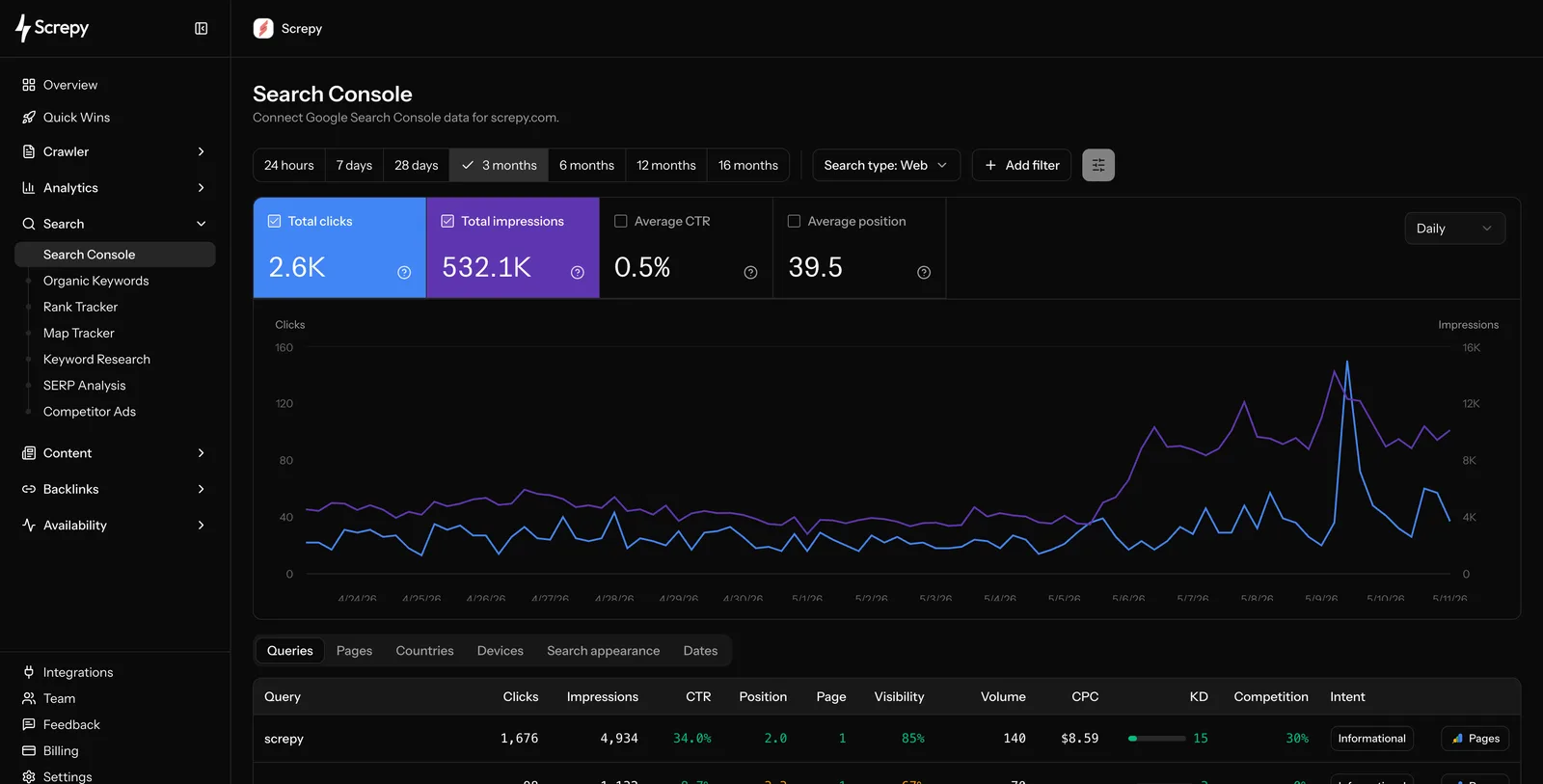
The Search Console view has reusable date ranges—from 24 hours through longer historical windows—plus a Web search-type control and filters. The performance summary shows total clicks, impressions, average CTR, and average position over time.
Switch the table dimension to answer a specific question:
| Dimension | Use it to understand |
|---|---|
| Queries | The terms that generated search visibility and the pages behind them. |
| Pages | Which URLs earn impressions and clicks. |
| Countries | How performance differs across markets. |
| Devices | Whether mobile and desktop search behaviour diverges. |
| Search appearance | Search-result presentation patterns reported by Search Console. |
| Dates | Daily changes within the selected period. |
Query rows also include Screpy enrichment where available: visibility, search volume, CPC, keyword difficulty, competition, and intent. Treat these as decision-support signals alongside Google’s first-party clicks and impressions, not a replacement for them.
Understand what the data can and cannot show
Search Console data is delayed and aggregated by Google. It is useful for trends in clicks, impressions, queries, pages, countries, and devices, but it is not a real-time visitor log. Compare like-for-like date ranges and look for sustained changes before attributing a movement to one deployment.
Google's Performance report documentation explains the available metrics and dimensions. Its click, impression, and position definitions also explain why totals can change when you group or filter the same data differently.
Use Screpy crawl findings and Search Console together. A crawl can explain technical conditions on a page; Search Console can show whether search visibility is changing for that page or query. Neither source alone proves causation.
Keep the connection healthy
Reconnect only when access changes or the connection stops returning the expected property. Regularly check that the Google account still has the intended permission.
Organic keywords
Review broader keyword rankings and ranking URLs for a selected market.
Search Console insights
Use patterns in the imported data to choose the next investigation.
Index Status
Check page-level Google index information beside crawl context and coverage states.
Quick Wins
Turn query and page movement into a prioritized next step.