
Disavow links
Review and export a Google-ready disavow file from Screpy.
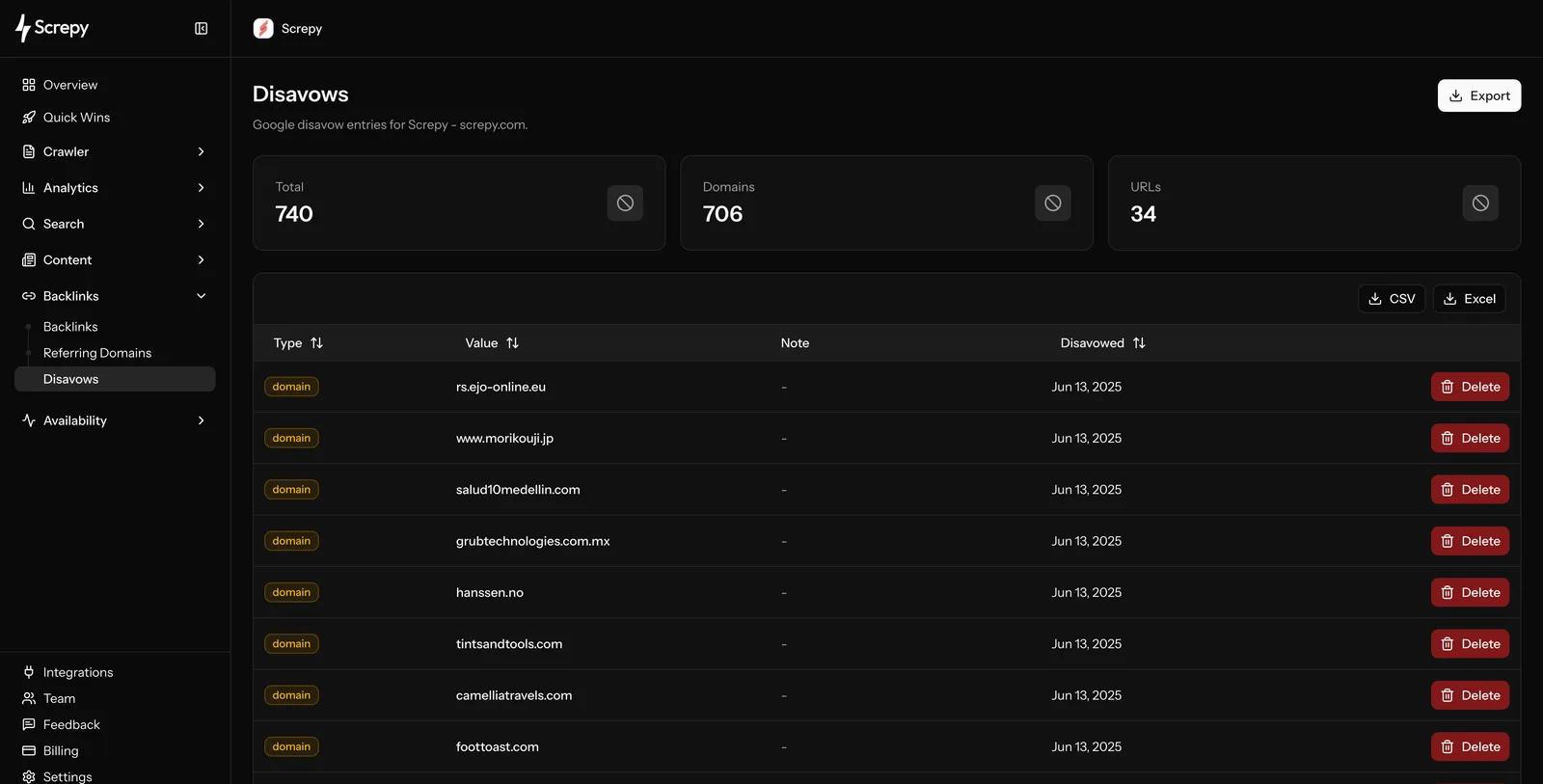
Disavows is the project’s review and export list for links or domains you have decided to disavow after investigation. These entries are included in the Google disavow file exported for manual upload. Add entries from the Backlinks or Referring Domains reports after investigation. It is not an automatic penalty-repair tool and should be used only after you have investigated a genuine link-quality problem.
Decide whether a disavow is necessary
Most unfamiliar, low-traffic, or low-metric links do not require action. Start by checking whether the links are part of a manipulative pattern, whether there is a relevant manual action or clear risk, and whether you can remove a paid or controlled link at the source. Keep notes on why a domain or URL is being considered so another team member can review the decision.
Google says the disavow tool is an advanced feature and is generally needed only when a site has a considerable number of spammy, artificial, or low-quality links and those links have caused, or are likely to cause, a manual action. Read Google's official disavow guidance before preparing a file.
Use a domain-level entry only when the concern applies to the whole domain. Use a URL-level entry when the issue is limited to a specific page. Broad exclusions are difficult to reverse and can discard legitimate signals, so choose the narrowest action supported by evidence.
Review and export the file
The table separates domain and URL entries, shows the stored value, note, and disavowed date, and has a Delete action for entries that no longer belong in the list. Use notes to preserve the reason for a decision before the final review.
Choose Export only after checking the exact scope. Screpy produces a Google-ready disavow file, but it does not submit the file to Google on your behalf. You retain control of the final upload in Google Search Console. Keep a dated copy of every submission outside the tool.
After submission
Google processes disavow files over time. Do not expect an immediate ranking change or use a short-term movement as proof that a specific entry worked. Continue improving the site, its content, and legitimate relationships.
Do not use disavow as routine maintenance
Investigate link patterns first. Overly broad disavows can remove links that are natural and useful. Deleting an entry removes it from Screpy’s export list; it does not undo a file already uploaded to Google.
Use the API or MCP
The Disavow REST API documents the supported endpoints and access requirements. The MCP tool reference explains the equivalent agent tools and export scope.