
Reports
Create white-label SEO reports and reusable report templates in Screpy.
Reports turns project data into a white-label PDF for a client, teammate, or stakeholder. A useful report explains the current state, the important change, and the next action; it should not simply repeat every available metric.
Create a report
- Open Reports for the project.
- Select Create report.
- Choose the report template to use.
- Create the report, then wait for its status and PDF to become Ready.
- Open the PDF for the final review before sharing it.
The reports table records the title, template, status, creation time, PDF state, and a Delete action. Deleting a report is permanent for that generated item, so retain the PDF externally when it is part of a client record.
Build reusable templates
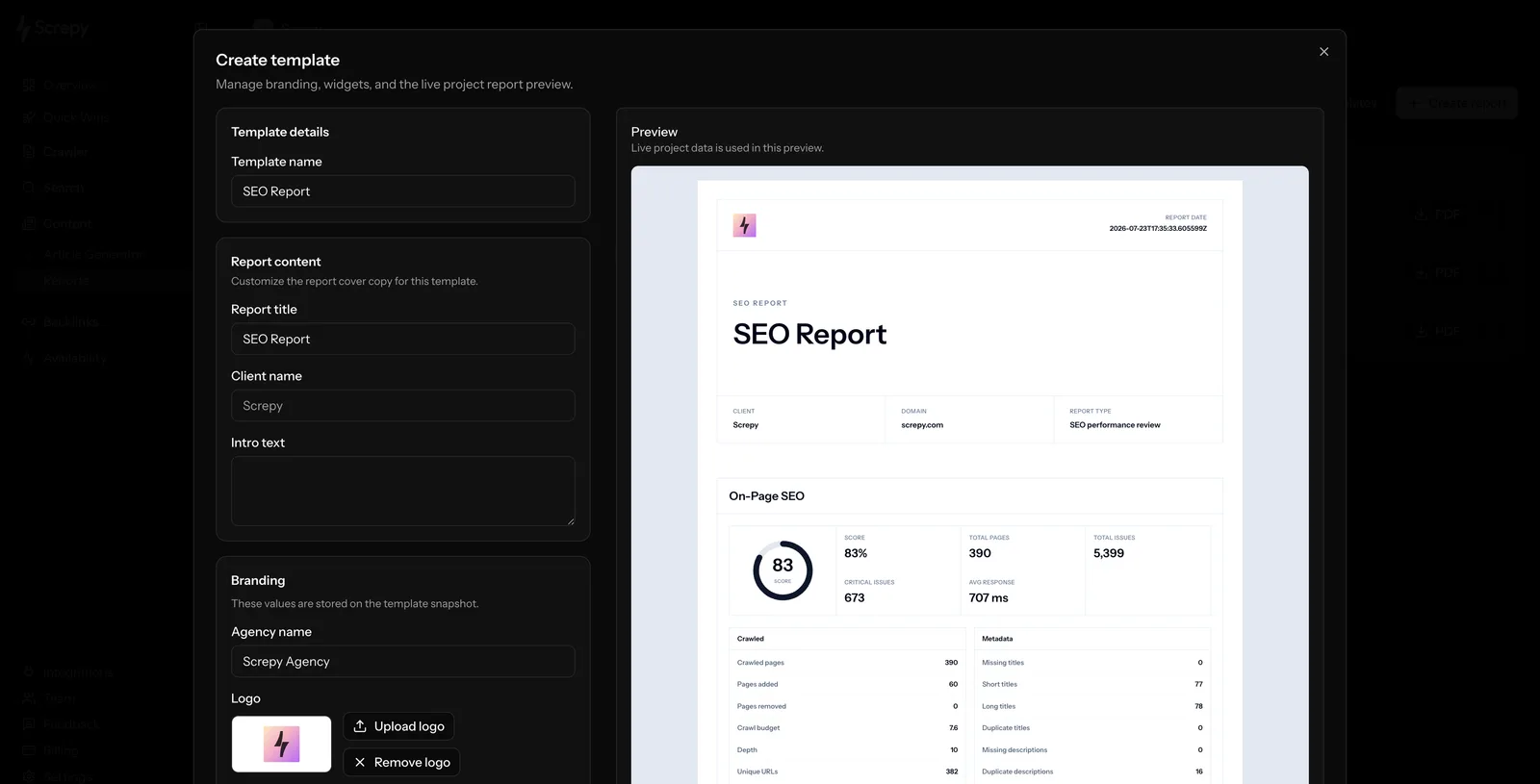
Choose Templates to create or edit reusable report designs. A template can include a name, report title, client name, introduction, agency name, logo, primary colour, footer text, and a selected, ordered widget set. The live preview uses project data, which makes it easier to verify the presentation before the template is used.
Available widgets cover the relevant product areas: Summary, On-Page SEO, Rank Tracker, Organic Keywords, Uptime, and Backlinks. Include only the widgets that help the intended reader make a decision; a compact report with a clear conclusion is more useful than an unfiltered data dump.
Build the report around a decision
Choose the project and the period or completed crawl that the report represents. Lead with the question the reader needs answered: what changed, what is at risk, what improved, or what should happen next. Then include the supporting data from crawl findings, performance, visibility, backlinks, or other enabled project features.
Keep the scope clear. A report based on one crawl is a snapshot, while a comparison needs two completed reference points. Label the date and source of the data so a recipient does not mistake an in-progress analysis for a final result.
Make findings actionable
Pair a metric with the relevant page, cause, owner, or proposed next step. For example, “broken internal links increased” is less useful than a short list of the affected templates and the crawl that confirmed it. Avoid promising ranking outcomes from a single technical change; report what the data proves.
Before you share
- Confirm that the recipient should have access to the project information.
- Check that the cited crawl or check is complete.
- Explain important limitations, exclusions, or changes in scope.
- Link to the underlying Screpy view when a reader may need details.
See Screpy's reporting workflow for the product-level view of sharing SEO progress.