

Claude SEO skills make repeated work easier to run: reviewing a page, preparing a content brief, interpreting a crawl or checking a proposed fix. The useful choice depends on the evidence you already have and the output you need.
For broad audits, consider Claude SEO. For a marketing team, look at Marketing Skills or SEO Machine. For graph-based topic research, InfraNodus offers a more specialized workflow with a separate data service.
These 11 options are independently distributed skill packages, including single-skill tools and larger workspaces. Each appears once, regardless of how many files it contains. The comparison is based on current documentation, repositories and skill files reviewed on October 16, 2026; we did not run performance benchmarks or test the packages on client websites.
Compare Claude SEO skill packs
A skill supplies a reusable procedure. Files, browsing tools, APIs and MCP connections supply the evidence that procedure analyzes. Installing instructions alone does not give Claude a backlink database, historical rankings or access to your Search Console property.
Choose by task and prerequisites before looking at the number of included skills. The source-file fees below were checked on October 16, 2026. Claude access, model usage, hosting and external data can cost extra. “Free source” describes the downloadable instructions or software, rather than an entirely free operating workflow.
| Package | Useful starting task | Source-file fee | Inputs or runtime | Separate paid dependency |
|---|---|---|---|---|
| Claude SEO | Page and website audits | $0; MIT | Claude Code, package scripts, accessible pages | Optional data integrations and model usage |
| Marketing Skills | SEO review alongside content and conversion work | $0; MIT | Selected skill folders, business context, page evidence | Optional connected tools and model usage |
| SEO Machine | Research-to-draft content production | $0; MIT | Claude Code workspace, Python modules, context files | README lists Anthropic API and DataForSEO accounts |
| SuperSEO Skills | Content briefs and existing-page improvements | $0; Apache-2.0 | Relevant skill, page copy, search/business context | Public pack separate from hosted InhouseSEO plans |
| NotFair plugin | Connected page and Search Console analysis | $0; MIT | Full plugin/workflow folders; authorized connections | Hosted SEO connector price not established here |
| GEO SEO Claude | AI search readiness reports | $0; MIT | Claude Code, scripts and retrievable pages | Optional services; model usage |
| GEO Optimizer | CLI-based readiness audits | $0; MIT | Python CLI; review skill packaging for your client | Live engine queries can require your own API keys |
| SEOmator Audit Skill | Technical crawl reports and comparisons | $0; MIT | Node.js 20.3+; optional Chrome/Chromium | Open-source CLI separate from hosted SEOmator |
| RampStack | Coordinating technical and content audits | $0; MIT | Relevant skill folders and actual audit datasets | Data sources and model usage |
| Hawk Academy Core Pack | Turning exports into audit and content work | $0 download; no email required | Four skill folders, supplied files | Your chosen Claude access and data collection |
| InfraNodus SEO Analysis | Topic graphs and content gaps | Free skill file | InfraNodus MCP/account for its connected analysis | 14-day service trial; Basic €19/month monthly; commercial Advanced €49/month monthly |
InfraNodus also displays annual-billing equivalents of €12/month for Basic and €32/month for Advanced. Its Basic plan is for personal or academic use with limited API/MCP access; commercial teams should review Advanced. EU VAT is additional where applicable. These are the official service plan terms, separate from the skill download.
The entries below explain where each package earns its place. They are alternatives for different jobs, rather than a performance ranking.
1. Claude SEO: broad website and page audits
Image source: Claude SEO homepage.
Claude SEO is a useful starting point when you want page reviews, technical checks, content analysis and structured-data work in one Claude Code plugin. Its inspected files distinguish a full-site audit from a single-page review, which helps keep a small task from turning into an unnecessary crawl.
Start with one landing page. Ask for the canonical, indexability signals, title and internal-link findings, with the retrieved evidence next to each recommendation. Expand to a site audit only when you need patterns across URLs. The single-page skill explains its inputs and output; retain the scripts and references it calls.
The optional integrations can add evidence, but their account requirements and usage costs remain separate. The package's audit ratings are its own assessment framework.
One detail matters for client deliverables: the current root skill instructions tell Claude to append a community promotion footer after major reports. Review that rule and any generated footer before sharing an audit. It is an output instruction, rather than evidence that the package publishes anything automatically.
Choose a smaller content-focused skill instead if you only need a brief or an editorial review.
2. Marketing Skills: SEO inside a marketing workflow
Image source: Marketing Skills homepage.
Corey Haines's Marketing Skills library fits teams whose SEO work overlaps with positioning, copywriting and conversion. Its SEO audit asks for business context, while related skills address structured data, programmatic pages and AI search.
The practical advantage is a shared understanding of the product. An audit of a demo-request page needs to know which buyer it serves and what the page should help that buyer decide. Supply that context alongside the HTML and available search data, then request recommendations that preserve the page's purpose.
Install the relevant skill folders rather than the entire marketing library by default. The current SEO audit instructions refer to product-marketing context and related workflows; check their paths when adapting an older installation.
For example, ask it to identify the three most consequential gaps on one product page and show a proposed change for each. A useful answer should distinguish something observed in the supplied page from a hypothesis that needs analytics or search evidence.
This is an instruction library, so it does not independently collect your site's historical performance. Choose a crawler-backed package when the immediate job is discovering technical issues across many URLs.
3. SEO Machine: a complete content workspace
SEO Machine makes sense when an isolated skill file is too small for the job. It combines Claude Code skills with commands, specialist agents, analysis modules and folders for research, drafts and business context.
Its distinctive value is the surrounding workspace. Before asking for an article, fill in the brand voice, product features, writing examples and internal-link map. Otherwise, a capable research command can still produce content that misunderstands your offer or links to irrelevant pages.
A sensible first workflow is one existing article: research the reader's current question, compare the draft with verified sources, and request an outline for the revision. Review that outline before drafting. Commands such as /research and /analyze-existing are documented in the project README.
The README lists Claude Code, an Anthropic API account and a DataForSEO account as prerequisites, plus Python dependencies for the data modules. The MIT software fee therefore does not describe the complete cost of the documented stack.
Some bundled marketing skills overlap with Marketing Skills. Choose SEO Machine for its integrated workspace and content process, rather than installing both collections just to obtain another SEO audit file. It is also more setup than a marketer needs for an occasional page check. Publishing-related commands deserve their own destination and permission review before use.
4. SuperSEO Skills: briefs and content improvement
The public SuperSEO Skills repository is a compact choice for editors who want repeatable content work. It includes 11 skills covering tasks such as briefs, keyword exploration, topic clusters, page reviews and improvements to existing content.
For a useful first assignment, supply an underperforming guide, its intended reader and the sources that should govern factual claims. Ask the content-improvement workflow to separate missing answers, unclear explanations and unsupported statements. That creates an editing plan you can evaluate before accepting rewritten copy.
The public repository makes the instruction files available under Apache-2.0. Its content brief, keyword deep-dive and improvement files provide different entry points; pick the one that matches your input rather than running every skill on every article.
Keep the public package separate from InhouseSEO's hosted offering. The website advertises a larger skill set and service features, which are not automatically included when you download the public files.
The package can organize supplied evidence, but a seed keyword is not proof of search volume, competition or a content gap. Add current search evidence before turning a plausible topic into an editorial commitment. For reproducible crawl collection, use a package with an actual crawler or provide a crawl export.
5. NotFair: connected page and Search Console analysis
Image source: NotFair homepage. This is the service's branding, not a demonstration of the SEO plugin.
Older roundups call this project TopRank. Its repository now redirects to NotFair's plugin, so follow the current source rather than relying on an old package name.
The SEO page workflow reviews one URL, while the Search Console workflow handles authorized property data, performance comparisons and related operations. A practical assignment is a landing page that lost clicks: compare two explicitly dated periods, preserve country and device filters, then connect the observed change with page-level findings.
The Search Console workflow specifies checks around property scope, rows and metrics. An answer should state the property, date ranges and whether it received a complete export or only a limited set of rows. A position change alone does not establish why traffic moved.
Installation has a subtle dependency: the short SKILL.md entry points reference longer workflow files elsewhere in the repository. Copying only the wrapper loses the procedure. Keep the documented plugin structure.
The MIT instructions are free, but connected capabilities depend on available account access and authorization. We could not establish a specific hosted SEO connector price from the public SEO instructions. Check that access before choosing the plugin primarily for live Search Console work; a file-based pack may suit you better when exports are sufficient.
6. GEO SEO Claude: AI search readiness reviews
GEO SEO Claude focuses on how a site can be discovered, interpreted and referenced by AI search systems. Its collection includes workflows for content, crawler access, schema, brand mentions and reports, coordinated by a broader audit skill.
Use it to organize a readiness investigation rather than to certify AI visibility. For one important page, request three separate outputs: crawl or access findings, content recommendations, and citations actually observed in an identified search engine. If no engine queries were performed, the last category should remain unavailable.
The audit instructions define a composite GEO score and specialist review areas. That score summarizes the project's methodology. It is not a score supplied by Google, OpenAI or another search provider, and raising it does not establish that citations increased.
This distinction helps you use the pack productively. A finding such as a blocked retrieval path can be investigated directly; a prediction that a rewritten paragraph will be cited needs a different measurement process.
Choose this collection when AI search readiness is the central task and you want several related review workflows. Choose a conventional technical audit package when the immediate problem is redirects, canonicals or crawl coverage. Keep genuine search-result observations separate from model judgments in either case.
7. GEO Optimizer: a CLI with reusable instructions
Image source: GeoReady homepage. Hosted monitoring and the open-source CLI are separate offerings.
GEO Optimizer pairs instructions with a command-line auditor. It suits someone who wants structured audit output to inspect, store or compare, rather than only a conversational assessment.
The project README documents this single-page audit command:
uvx --from geo-optimizer-skill geo audit --url https://example.com
This is a documented example, not a command we executed for this comparison. Review the package and its prerequisites before running it. The project also documents JSON output and sitemap-based auditing, which can help make repeated checks consistent.
Its local audit does not require an API key, while actual AI-engine queries can require your own credentials and incur usage costs. Do not confuse an audit score with a count of citations in live answers.
There is also a packaging detail to check: the root instruction file inspected for this review starts with Markdown headings rather than the standard skill name and description frontmatter. Use the project's documented integration or adapt the reviewed instructions into your client's required format. Merely placing any Markdown file in a skills folder is not a compatibility guarantee.
Choose this over a prose-only pack when the CLI's outputs fit your workflow. Keep automated fixes separate until you have inspected the proposed changes.
8. SEOmator: crawler-backed technical audit reports

Image source: SEOmator homepage. The hosted product shown here is separate from the open-source audit CLI.
SEOmator's Audit Skill is worth considering when Claude should interpret findings produced by a real auditing program. The package includes a CLI and instructions for producing reports, finding affected URLs and comparing audit snapshots.
The current skill file specifies Node.js 20.3 or later and npm. Chrome or Chromium is optional for features that need browser execution, including JavaScript rendering and performance checks. Available evidence therefore depends on which audit mode and runtime you use.
A practical first task is a before-and-after comparison of a redirect cleanup. Keep the URL sample, crawl settings and relevant runtime the same, then ask Claude which reported redirect issues disappeared, persisted or appeared for the first time. Review affected URLs instead of accepting a changed headline score as sufficient proof.
The CLI is MIT-licensed; that does not make the separately hosted SEOmator service free. It also does not make every rule a ranking factor or every detected issue equally important to your site.
Choose it for technical evidence collection and report interpretation. If your main need is editorial judgment about a draft's missing answers, a content-focused skill can be a more direct starting point.
9. RampStack: audits that connect several disciplines

Image source: RampStack homepage.
RampStack's Claude Skills library includes technical, on-page, off-page, content and diagnostic workflows. Its audit orchestration skill is the relevant choice when the hard part is coordinating findings across several datasets.
For example, after a migration you may have crawl errors, changed landing-page traffic and an incomplete redirect map. Ask for a scoped audit that separates confirmed migration defects from other possible causes. Supply the old-to-new URL mapping, comparable crawl exports and dated search performance data; explain which inputs are missing.
The audit orchestration instructions organize the work into scope, data gathering, sub-audits, synthesis, prioritization and delivery. They also address unavailable data. This structure is useful when several otherwise reasonable reports produce conflicting priorities.
Use a specific child skill when you only need one dimension. Running the entire orchestration process for a single canonical tag adds process without necessarily improving the answer.
The MIT library supplies methods rather than a complete proprietary data source. Keep its supporting files and use the canonical skill folders, since distribution folders can contain copies for different agents. Those copies are not additional independent SEO capabilities. For a turnkey crawl report, evaluate a crawler-backed package instead.
10. Hawk Academy Core Pack: work from exports
Image source: Hawk Academy homepage.
Hawk Academy's Core Pack is approachable when you already have files to analyze and want a smaller bundle with examples. The downloadable ZIP contains four native skill folders, individual upload ZIPs and supporting material. The technical, content and digital PR workflows include sample inputs and outputs.
For a first audit, use a crawl export with its date, crawl scope and column definitions. Ask the technical skill to return affected URLs and the evidence behind each priority. Compare its handling of the included sample with your own file before relying on a large report.
The pack page clearly describes an important limit: a crawl export cannot show every visual problem a person may encounter on a website. Likewise, missing link data should remain a gap in the analysis rather than become an invented internal-link finding.
The fourth component is branded “3 Ranking Laws Auditor.” Treat that as the publisher's interpretation of patents and leaked material, rather than an established specification of Google's current ranking system. The technical, brief and PR workflows can be evaluated independently of that framing.
The pack is free to download without an email address. Choose it for its focused workflows and examples; use another package when you need automatic data collection or a connected reporting stack.
11. InfraNodus: graph-based content gap research
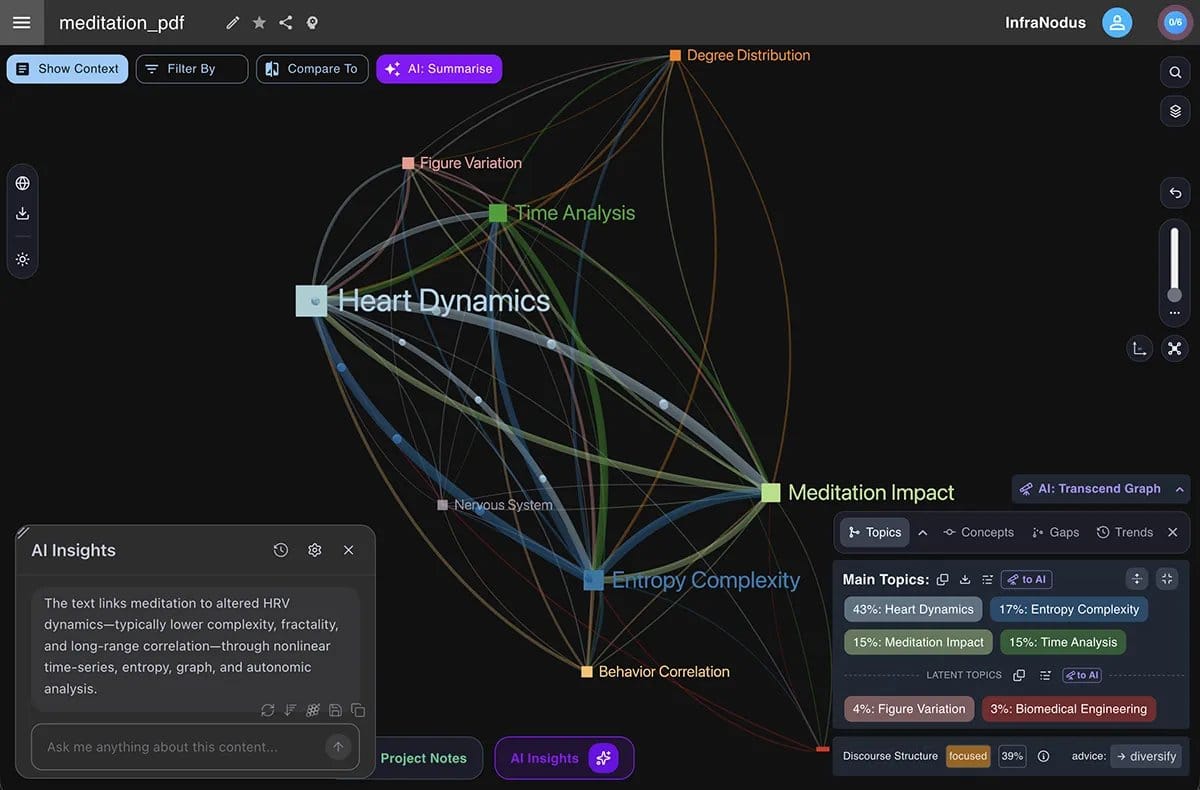
Image source: InfraNodus homepage.
InfraNodus's SEO Analysis skill takes a different route: it uses topic relationships and knowledge graphs to investigate search intent and content gaps. Its connected workflow can compare search-result themes with query data and with your own text.
A useful assignment is an existing guide that answers individual questions but fails to connect them. Ask which important concepts appear together in the retrieved evidence, which relationships the guide omits, and what new explanation would help the reader. Inspect the underlying queries and source pages before accepting a proposed gap.
The actual SEO skill file names the MCP tools it expects. The Markdown download does not itself provide those tools or prove that a suggested keyword has measurable demand. If live query data is unavailable, distinguish a topic hypothesis from a verified opportunity.
Budget for the service separately. At review, Basic was €19/month with monthly billing, or €12/month as an annual-billing equivalent; Advanced was €49/month monthly, or €32/month on annual billing. A 14-day trial is offered. Basic is for personal/academic use and has limited API/MCP access; Advanced supports commercial use. Applicable EU VAT is excluded.
Choose this for graph-based research with the required data connection. A free file-based content skill may be enough when you only want to reorganize supplied copy and do not need the connected graph service.
Install one package and check its dependencies
For a native Claude Code skill, the usual project layout is .claude/skills/<skill-name>/SKILL.md. Personal skills live under ~/.claude/skills/. The file's name and description frontmatter identify the skill; supporting files can hold longer references and scripts. See the current Claude Code skills documentation for invocation, scope and plugin-specific behavior.
Start with one package and one task:
- Read its current installation instructions, license, skill file and referenced scripts. Check for external calls, automatic edits, publishing steps and additions to the final output.
- Preserve the required folders. A plugin wrapper, standalone skill and complete workspace can have different installation paths. Do not flatten them into a collection of disconnected Markdown files.
- Connect only the data needed for the assignment, then confirm the expected files or tools are actually available.
- Review naming conflicts. Several packages use
seo-audit; installing all of them at once can make it harder to know which procedure is active.
For a small custom review, the following is a complete starting file you can save as .claude/skills/page-evidence-review/SKILL.md:
---
name: page-evidence-review
description: Review supplied page HTML and a crawl export for evidence-backed SEO issues. Use when asked to review page evidence.
---

# Page evidence review

Read the supplied HTML, crawl export and their collection dates.
State which URL and dataset each observation comes from.
Do not invent measurements or infer unobserved page properties.

Return a table:
| Finding | URL | Source or row | Evidence | Proposed fix | Unknowns |

If a required input is missing, identify it and leave the affected
conclusion unavailable. Do not edit files or publish changes.
This is an illustrative instruction file, not a replacement for any package's scripts or installation process. Adapt the input requirements to your actual task and test the result on a small, known sample before using it for a broad audit.
Run one evidence check before trusting the output
A useful first check includes both something the skill can establish and something it cannot. That reveals whether it respects the limits of the input.
For a page-audit workflow, try this tiny illustrative export:
url,status,title
https://example.com/guide-a,200,SEO Starter Guide
https://example.com/guide-b,200,SEO Starter Guide
Then use this request:
Review only the supplied crawl export.
Identify observations supported by its rows.
For each finding, show the affected URLs, source rows and evidence.
Separate proposed fixes from confirmed problems.

Can you establish duplicate titles, duplicate page content,
orphan pages, canonical correctness or Core Web Vitals?
Explain which conclusions need additional data and name that data.
Do not browse, edit, publish or invent missing measurements.
The supported observation is a shared title across two supplied URLs. That does not establish duplicate body content. The file contains no link graph, canonical tags or performance measurements, so those questions need more evidence. An answer that invents them is a reason to revise the skill or its task instructions before expanding the workflow.
For a content brief, apply the same principle: require a source for factual claims and leave space for information only your team can supply. For a graph or GEO workflow, distinguish a recommendation or internal score from an observation in actual search results.
When the missing ingredient is data access, choose the connection independently of the instruction package. Screpy publishes this guide. Its SEO MCP connection can expose authorized project evidence such as crawl findings and stored search data to compatible clients. It can support a reusable analysis workflow, but we did not verify a standalone Screpy skill package for this list. Our SEO MCP server comparison covers that separate choice.
Keep the package that produces a useful, traceable answer to your recurring task. Add another only when it solves a different problem or supplies a capability you can verify.