


Before and after a migration
Record redirects, canonicals, internal paths, important templates, and crawl coverage before launch, then compare the new site against the same baseline.
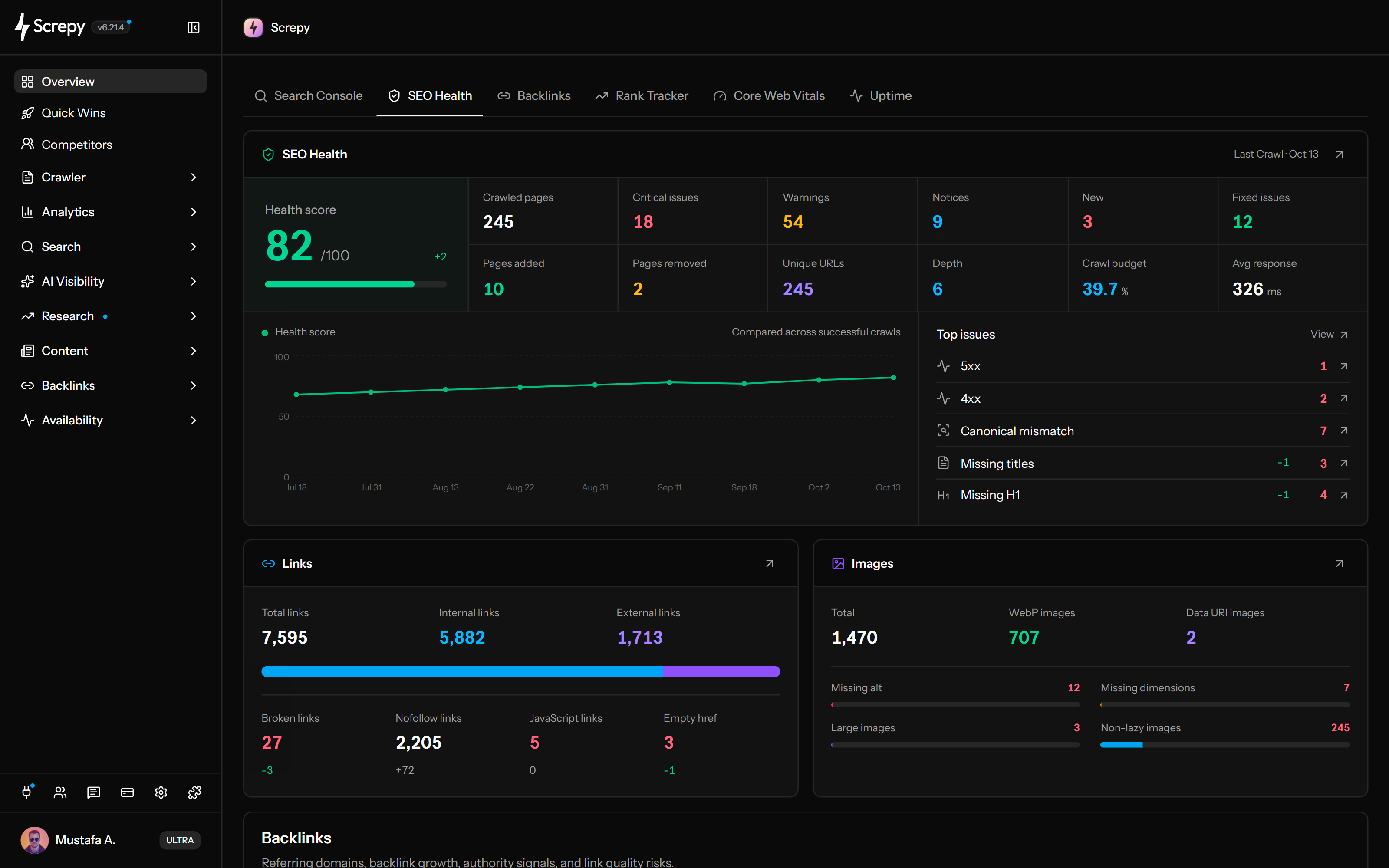
Turn a full-site crawl into a page inventory, grouped findings, and a practical fix queue. Review crawlability, status codes, redirects, canonicals, metadata, headings, links, images, response time, structured data, and security signals—then recrawl to verify what changed.










Start with the URLs search engines and visitors need to reach. The Pages inventory puts responses, redirect destinations and crawl depth beside each URL, making a broken product route or inaccessible article easier to investigate.
/guides/seo200
Repeated metadata can come from one shared template rather than hundreds of separate writing mistakes. Filter titles and descriptions, compare the affected URLs, and decide whether the fix belongs in the template or the page content.
example.com › guides
SEO · TitleDescriptionSee how each crawled page presents its main topic. Heading counts, word count and content ratio help distinguish an incomplete article from a concise contact page; pages with different purposes should not all follow the same content target.
ContentH1
Compare a page's canonical target with the final URL reached by the crawl. This is particularly useful after migrations or when filters and parameters create several versions of the same content.
/shop?sort=new
/shop?filter=linen
/shop
A failed destination tells you what broke; its source pages tell you where to fix it. The Links inventory connects each destination with the pages and anchors that reference it, including repeated navigation and footer links.
Source/guides
/old-pricing404/setup503Review image URLs together with the pages that use them. A missing image in a shared product template can affect many URLs, while alt text needs a decision based on what the image communicates in each page.
Find pages with detected JSON-LD or microdata and pages without detected schema. Use this inventory to review coverage by content type; detecting markup does not establish that it is valid or eligible for a rich result.
ArticleJSON-LD@contextschema.org
@typeArticle
headlinelinen shirt
Check which crawled pages return common protective response headers. Missing-header filters help surface configuration differences; deciding the correct policy still requires understanding how the website loads its content.
Content-Security-PolicyX-Content-Type-OptionsStrict-Transport-SecurityKeep a completed crawl as the baseline for your next release or migration. Compare later snapshots to see whether the affected URLs changed, then turn filtered findings into a concrete handoff for developers or editors.
Connect your AI assistant to Screpy’s SEO MCP server. Ask about your latest completed crawl, inspect affected pages and turn technical SEO findings into a clear order of work.
A useful audit does not end with an issue count. Keep the crawl comparable, validate representative URLs, find the shared cause, and define what the next crawl should show.
Confirm the starting URL, maximum URLs, crawl depth, JavaScript mode, access rules, and site version. The completed crawl becomes a dated snapshot—not a continuously changing view of the live site.
Open one affected URL and verify its response, rendered output, purpose, indexability, template, and business value before deciding that a filter represents a defect.
Separate an isolated editorial problem from a CMS content type, shared component, navigation rule, route, or site-wide configuration issue. Fix the pattern instead of editing every row independently.
Inspect the public change, run another crawl with comparable settings, and confirm the affected percentage and URL pattern changed for the intended reason.
Technical regressions often begin with ordinary releases, content work, migrations, and shared-template edits. A crawl before and after the change gives the team evidence while the implementation context is still fresh.
Record redirects, canonicals, internal paths, important templates, and crawl coverage before launch, then compare the new site against the same baseline.
Check whether shared layouts, routing, metadata, images, scripts, or security changes introduced a repeated issue across valuable pages.
Keep new articles, landing pages, categories, and programmatic templates connected, crawlable, internally linked, and technically consistent.
Use crawl evidence beside Search Console, release history, server logs, and rendered pages to investigate what changed without assuming one audit signal caused the traffic movement.
Use the free checker for one live URL. Use Website Audit when you need a crawl snapshot, repeated-pattern analysis, source-page context, exports, and verification across the site.
Crawl many URLs as one project, investigate Pages, Links, and Images inventories, and verify site-wide fixes in a later snapshot.
Review the rendered metadata, headings, links, images, structured data, accessibility, and technical signals for one public URL.
Screpy documentation
Follow the Screpy guide to review audit results, investigate affected URLs, prioritize issues, and verify fixes after a new crawl.
Learn the concepts behind this workflow and apply them with practical SEO guidance.
Learn how AI interprets crawl, search, and performance data to group technical SEO findings, estimate impact, and prioritize verification.
Read articleRun an SEO audit with MCP using saved crawl data. Learn how to verify page findings, prioritize repairs, and separate evidence from unsupported AI advice.
Read articleCompare 11 Claude SEO skill packs by task, data requirements and costs, with practical workflows, installation guidance and checks for trustworthy output.
Read articleBottom-of-funnel keywords: spot pricing, vs, alternatives, and review modifiers, validate intent in SERPs, and map terms to pages built for sign-ups fast.
Read articleUnderstand crawl scope, JavaScript rendering, missing pages, issue counts, prioritization, comparison, reporting, and what a technical audit can—and cannot—prove.
Run a full audit after major site changes, migrations, redesigns, and content updates. For active websites, recurring audits are useful because new technical issues can appear after routine releases and edits.
Start with problems that affect crawling, indexing, availability, or many important pages. Then consider page value, affected templates, search traffic, conversion impact, and the effort required to fix the underlying cause.
First check whether the URL returns usable HTML, allows ScrepyBot, is linked from a crawled page, falls within the selected depth and URL capacity, and avoids redirect loops, authentication, bot challenges, timeouts, or server errors.
Yes. A site-wide crawl makes it easier to see when the same issue appears across templates, categories, or groups of URLs. This helps teams fix the underlying pattern instead of reviewing every page in isolation.
Yes. Screpy supports reports and exports so audit findings, completed work, and remaining issues are easier to communicate with teammates, clients, developers, and stakeholders.
A single-page check reviews one URL at a specific moment. A website audit crawls pages as one site, finds repeated patterns, compares URLs, and gives your team a site-wide workflow for prioritizing and monitoring fixes.
Screpy reviews crawl access, HTTP status codes, redirects, crawl depth, response time, metadata, headings, canonicals, content signals, structured data, social tags, security headers, internal and external links, images, and related technical findings across crawled pages.
Yes. Treat completed crawls as dated snapshots and compare them with equivalent scope and settings. Review which findings were fixed, which remain, which are new, and whether the same page types and important URLs were included in both crawls.
Screpy provides a JavaScript crawl setting for sites whose important links or content are created in the browser. JavaScript rendering does not bypass robots rules, authentication, bot protection, server errors, or the project crawl scope.
A newer crawl may discover more pages, reach a previously blocked template, or use different scope settings. Compare the crawled-page total, affected percentage, URL patterns, crawl configuration, and site version before deciding whether website health improved or declined.
No. A website audit helps you investigate technical condition and verify implementation changes, but it does not guarantee rankings or traffic. Search outcomes also depend on relevance, content quality, authority, competition, demand, indexing, and how search engines interpret each page.
Understand Super Intelligence terminology and connect website audits, search research, rankings, and AI visibility in one practical Screpy workflow.
A comprehensive SEO toolkit at a refreshingly affordable price.