

A useful free SEO Chrome extension should help you answer a specific question: did the canonical change, is this link broken, or does the page's rendered content match its HTML? Choose one general page inspector, then add a specialist only when you need a check the first tool does not handle well.
These 22 extensions offer useful no-cost checks. Some also sell data, exports or history, so “free” does not mean every feature is included. The comparison separates those limits. It is based on current official product pages and Chrome Web Store listings, not an installation benchmark. A browser result is evidence to investigate, not proof that Google indexed a page or will rank it.
Compare the free checks and paid limits
Prices and availability were checked on November 20, 2026. “No paid tier advertised” refers to the extension, not every product its publisher sells. Annual equivalents below require the stated annual payment; a Pro trial is separate from an ongoing free feature.
| Extension | Useful check | Free offering | Optional paid price and basis | Important limit |
|---|---|---|---|---|
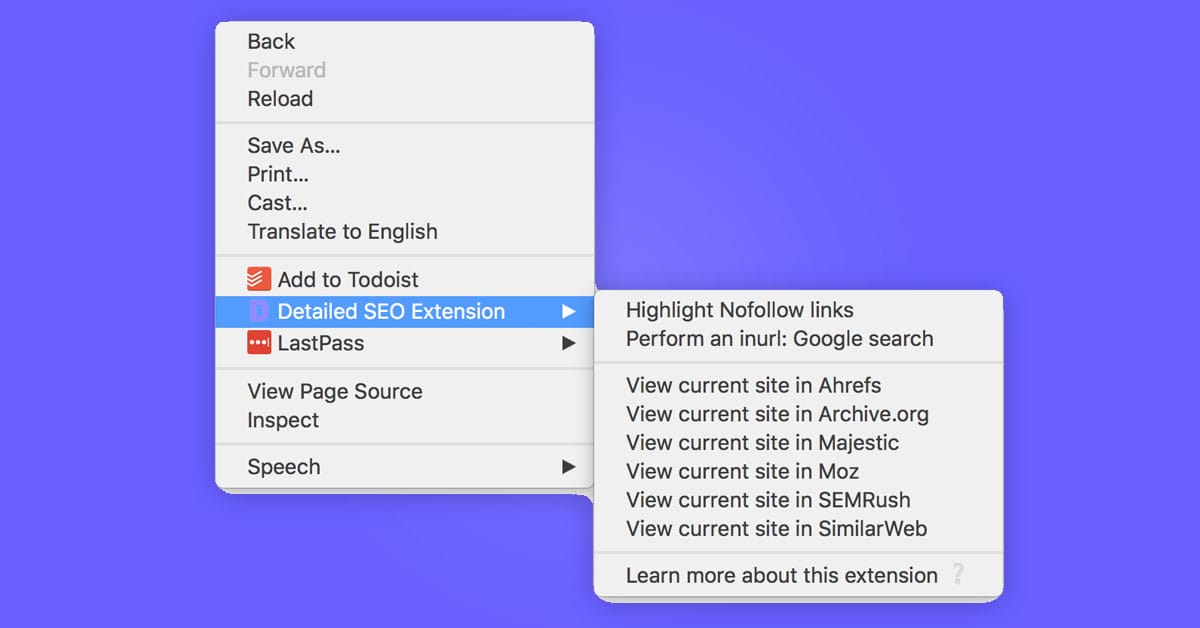
| Detailed SEO Extension | Metadata, headings, links | Core extension | No paid tier advertised | Current page, not a site crawl |
| SEO Pro Extension | Page overview and exports | Core extension | No paid tier advertised | Field performance data needs coverage |
| SEO META in 1 CLICK | Simple metadata inventory | Core extension | No paid tier advertised | Tag presence is not snippet quality |
| META SEO inspector | Metadata and HTML warnings | Core extension | No paid tier advertised | Interpret warnings in context |
| Ahrefs SEO Toolbar | Page checks and account metrics | Local checks; free login adds DR/UR | Starter USD29/month; Lite USD129/month | Paid data and allowances depend on plan |
| SEOquake | Page audit and link reports | Core reports; free account adds metrics | No paid extension tier advertised | Older tutorials may describe missing legacy features |
| MozBar | On-page elements and authority context | Guest checks; free account adds DA/PA | Plans from USD49/month; Standard USD99 monthly or USD79/month equivalent yearly | Premium feature access depends on subscription |
| Redirect Path | Redirects and HTTP headers | Core extension | No paid tier advertised | One observed navigation |
| Link Redirect Trace | Per-hop redirect details | Core extension | No paid extension tier advertised | Proprietary metrics are not Google scores |
| Robots Exclusion Checker | Robots, headers, canonicals | Core extension | No paid tier advertised | Green does not mean indexed |
| View Rendered Source | Raw HTML, DOM and differences | Panels, SEO filter, copy/download | Pro USD10/license/month equivalent, USD120/year | One browser/license; saved snapshots and sharing are Pro; optional 7-day trial |
| HeadingsMap | Heading and landmark structure | Core extension | No paid tier advertised | Excludes headings hidden from assistive technologies |
| Web Developer | Page-element inspection | Core extension | No paid tier advertised | Browser changes need resetting |
| Check My Links | Link status and basic CSV | Free scanning and CSV | Lifetime offer INR2699 in India; $29 outside India | Dollar currency is not explicitly identified on the readable offer page |
| Link Grabber | Extract and group hyperlinks | Open-source extension | No paid tier advertised | Extraction does not test HTTP status |
| NoFollow | Visual link attributes | Core extension | No paid tier advertised | Settings affect what is highlighted |
| Schema Builder | Point-and-click JSON-LD | Free extension | No paid tier advertised | Generation is not deployment or rich-result eligibility |
| Lighthouse | Public-page audit report | Open-source extension | No paid tier | Official docs prefer DevTools, especially for local/authenticated pages |
| Checkbot | Small technical crawls | 100 URLs/crawl; unlimited crawls/sites; ads | Pro USD15 monthly, or USD10/month equivalent at USD120/year | Pro: 10,000 URLs/crawl, CSV/PDF, localhost and HTTP authentication; single user |
| Wappalyzer | Observable technology stack | Browser detection; platform account includes 50 lookups/month | Separate platform Pro USD250/month, monthly billing | Paid lead/API data is separate from browser detection |
| Keyword Surfer | Country-specific keyword context | Free extension and collections | No paid extension tier advertised | Vendor estimates, not your measured traffic |
| Nightwatch Search Simulator | Country/language SERP check | Free extension; no account needed | Separate platform Starter EUR79/month equivalent, EUR948/year | Rate limits or CAPTCHAs can interrupt manual checks; platform trial is 14 days |
For free products without a published paid extension tier, there is no paid currency or billing term to quote. Do not buy a platform subscription merely because an extension has an upgrade link; first identify which additional capability you need.
The inclusion test was a current official Chrome listing, a useful ongoing free check, and enough documentation to explain its limits. Similar page inspectors are alternatives, not consecutive steps in an audit.
This guide is published by Screpy. Its own browser extension page currently says the extension is coming soon and has no public Chrome Web Store button, so it is not included as an available free option.
1. Detailed SEO Extension
Homepage image: Detailed.
Detailed suits someone who wants a straightforward first look at a page's title, description, canonical, headings and structured data. Its official page describes a free extension without an account or paid upgrade requirement for those checks.
After changing a template, open a representative page and compare its heading tree with the intended structure. Use the link and image exports when you need a record to discuss with an editor or developer. The dedicated hreflang view can also help you inspect alternate URLs.
Choose it as a general inspector, rather than installing several similar tools immediately. SEO Pro may suit you better when content and heading exports are central to your workflow; a dedicated redirect tracer is better for investigating a navigation chain.
The available user-agent switch does not make your browser Googlebot or prove what Google indexed. Install the official extension.
2. SEO Pro Extension
Homepage image: MarketingSyrup's SEO Pro.
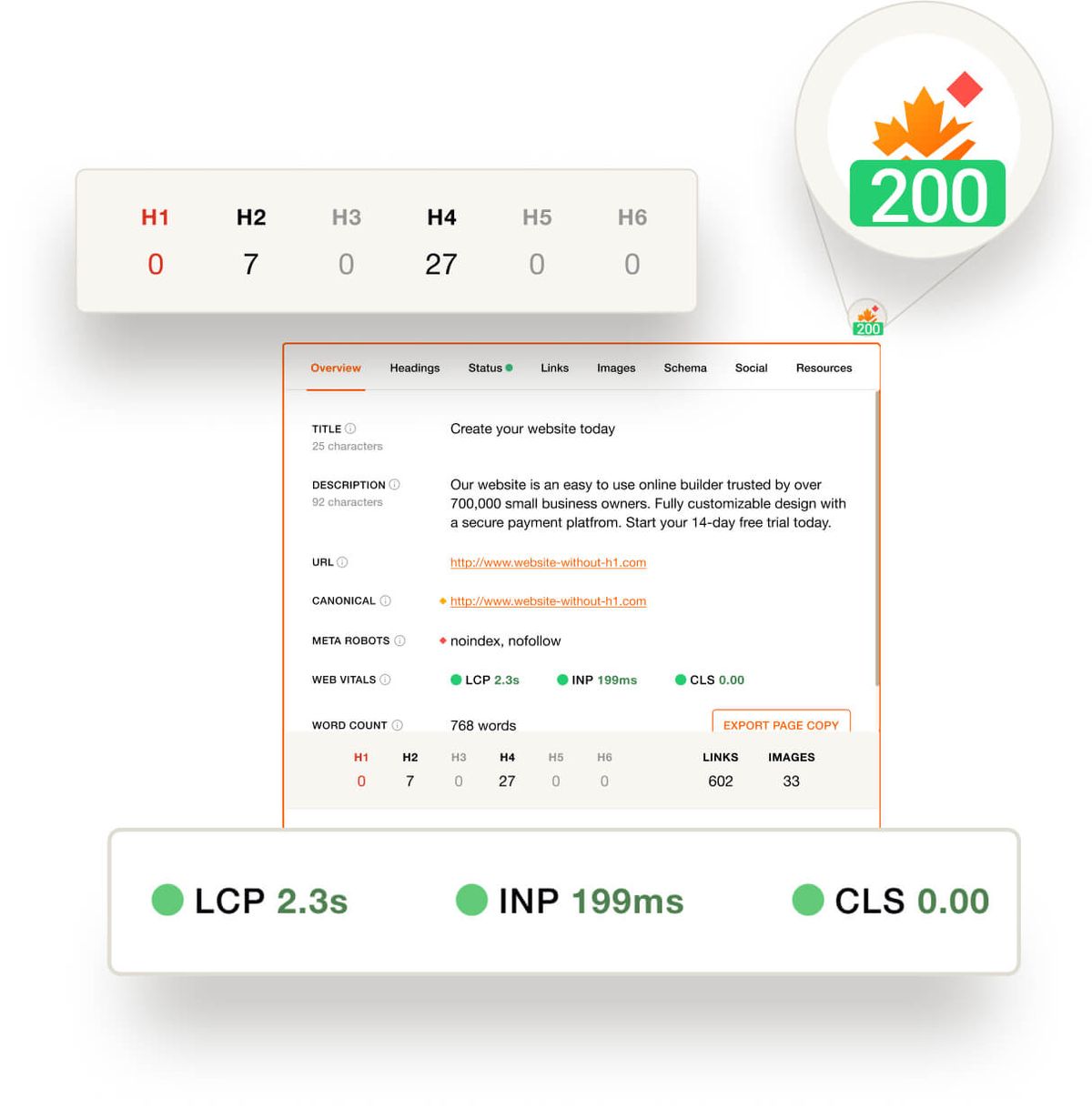
SEO Pro is another free general inspector, with a useful emphasis on handing page information to somebody else. Its documented features include heading and page-copy exports, link and image views, status information, schema inspection and social previews.
For a content review, open the page, inspect the heading hierarchy, then export the relevant material instead of transcribing it into a brief. For a template change, compare the canonical, robots information and image alt attributes with the expected output.
The performance view needs careful interpretation. Field data may be unavailable for a particular page or origin; an empty result is not a zero score or a failed Core Web Vitals assessment.
Choose SEO Pro when these exports match your editorial workflow. Detailed is an alternative for a simpler general overview, while Lighthouse serves a different job: generating a page audit under specific test conditions. Install SEO Pro from its official listing.
3. SEO META in 1 CLICK
SEO META in 1 CLICK is a compact free option for an editor who mainly needs to inspect page metadata. It lists the title and description, canonical, robots information, headings, image-alt information, links and social tags.
Use it after publishing a page to confirm that the intended title and description actually appear in the delivered page. Read the heading list to catch a template label that accidentally became the main heading, or inspect social tags when the sharing preview looks wrong.
Its value is a small, readable inventory rather than a complete technical audit. A character count cannot decide whether a title is useful, and a present description does not prove that Google will use it as the search snippet.
Choose this when a simple tag overview is enough. META SEO inspector is a better alternative if you want more diagnostic warnings; a crawler is needed when the question spans many URLs. Official Chrome listing.
4. META SEO inspector
META SEO inspector suits readers who want warnings alongside the page's underlying metadata. The free extension exposes titles, descriptions, canonicals, robots information, headings, image-alt details and social metadata.
A practical use is reviewing an unfamiliar template. Open an example page, inspect the reported tags, and investigate warnings against the actual markup. If the canonical differs from the URL you expected, record both values and check why the template generated them before changing anything.
Treat its warnings as prompts for diagnosis. A tool can identify a missing or unusual value without knowing the page's business purpose, intentional indexing policy or Google's eventual interpretation.
Use SEO META in 1 CLICK when you only need a compact inventory. Choose META SEO inspector when a more diagnostic presentation helps you work through the HTML. For a suspected JavaScript change, compare raw and rendered output instead of relying on one overview. Official Chrome listing.
5. Ahrefs SEO Toolbar
Homepage image: Ahrefs SEO Toolbar.
Ahrefs combines free page checks with optional account data. The official product page separates local diagnostics from additional capabilities available after a free sign-in or with a paid account.
Use the free checks to inspect headings, outgoing links, indexation signals, redirects and response headers. A free login also unlocks documented features such as Domain Rating and URL Rating. Those proprietary metrics can provide comparison context, but they are not Google's ranking scores.
For example, investigate a page's redirect and canonical first; only then use account metrics if your question concerns the site's wider link profile. Do not assume that every metric shown in a screenshot is included in the free toolbar or the cheapest paid plan.
This is useful when you already work with Ahrefs and want page evidence beside your account data. Detailed is a simpler alternative when you want an inspector without an account layer; Redirect Path concentrates on navigation troubleshooting. Official Chrome listing.
6. SEOquake
SEOquake is useful when you want a page overview plus link and keyword-density reports in one extension. Its current official listing describes Quick View, fuller reports, an on-page audit, link analysis and optional Semrush data.
Start with Quick View on a representative page, then open the relevant report rather than treating the overall score as the answer. For example, use the link report to inspect which destinations and link types deserve attention; export findings only where the current interface offers that option.
The current listing describes version 4.3.4, updated on November 19, 2026. Core reports and built-in metrics work without an account; connecting a free Semrush account adds further metrics and analysis. Older tutorials may use the name Diagnosis for what is now Audit in Full Report. Follow the current interface rather than an old screenshot.
Choose SEOquake for its combined reporting style. A smaller metadata inspector may be clearer for a simple tag check, and Checkbot is more appropriate when your question requires a bounded multi-page crawl.
7. MozBar
Homepage image: MozBar.
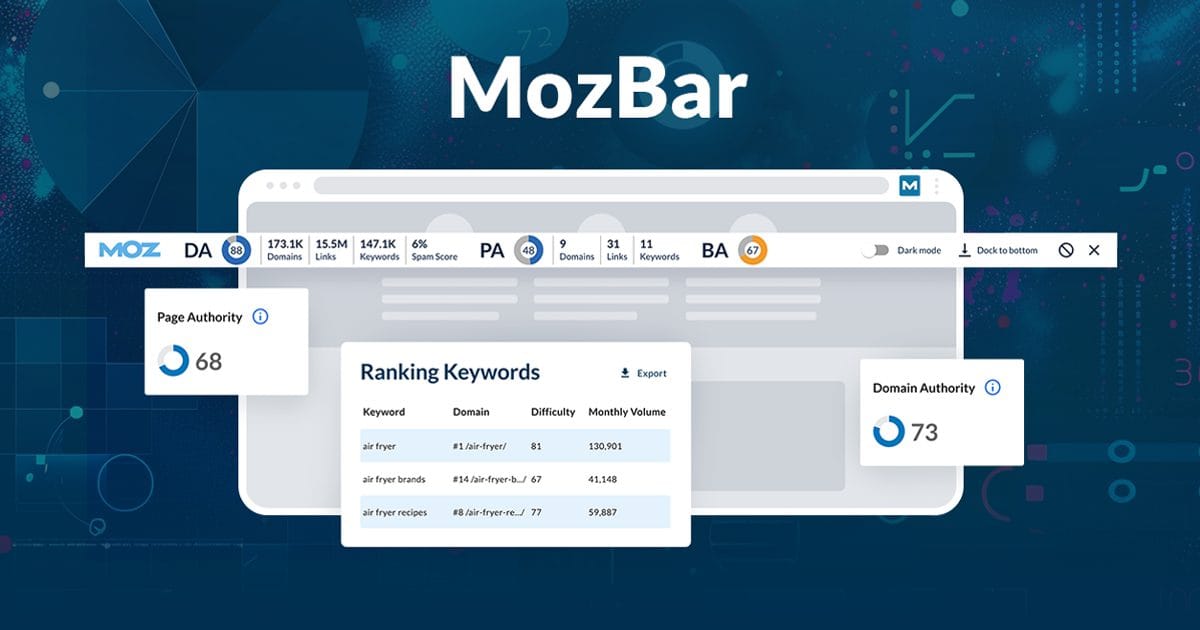
MozBar's current version distinguishes three access levels. Guest mode includes on-page elements, general attributes and internal-link details. A free Community account adds Domain Authority and Page Authority; Moz Pro subscriptions unlock further features such as Spam Score, optimization and ranking queries.
That makes it useful for a marketer who wants to check a page first and add comparative link context only when needed. Start in Guest mode to review the relevant elements. If you sign in, label exported or recorded metrics as Moz data rather than a Google assessment.
Moz's own Domain Authority explanation says DA is not a Google ranking factor. A lower score alone does not establish that a page cannot rank.
Choose MozBar when its account metrics fit your existing research. If you only need headings and metadata, Detailed or SEO META in 1 CLICK avoids the extra account and subscription decisions. Verify the access level before assuming that a feature in an older review remains free. Official Chrome listing.
8. Redirect Path
Redirect Path's official listing describes a focused way to inspect navigation status codes, redirects and HTTP headers. It is useful for someone checking a moved URL or a link that lands somewhere unexpected.
Open the original URL, follow the navigation, then inspect the sequence and final destination. Record the starting address as well as the final page. A successful final response can otherwise hide an unnecessary intermediate redirect or an unintended destination.
This is a browser observation under the conditions of that request. Cookies, location, caching and server behavior may affect what happens, so save enough context to reproduce a surprising chain. A single successful visit does not prove every visitor or crawler receives the same path.
Choose Redirect Path for a concise navigation check. Link Redirect Trace provides a more detailed per-hop interpretation when you also need robots or canonical context; a crawler is more suitable for reviewing a large migration URL list.
9. Link Redirect Trace
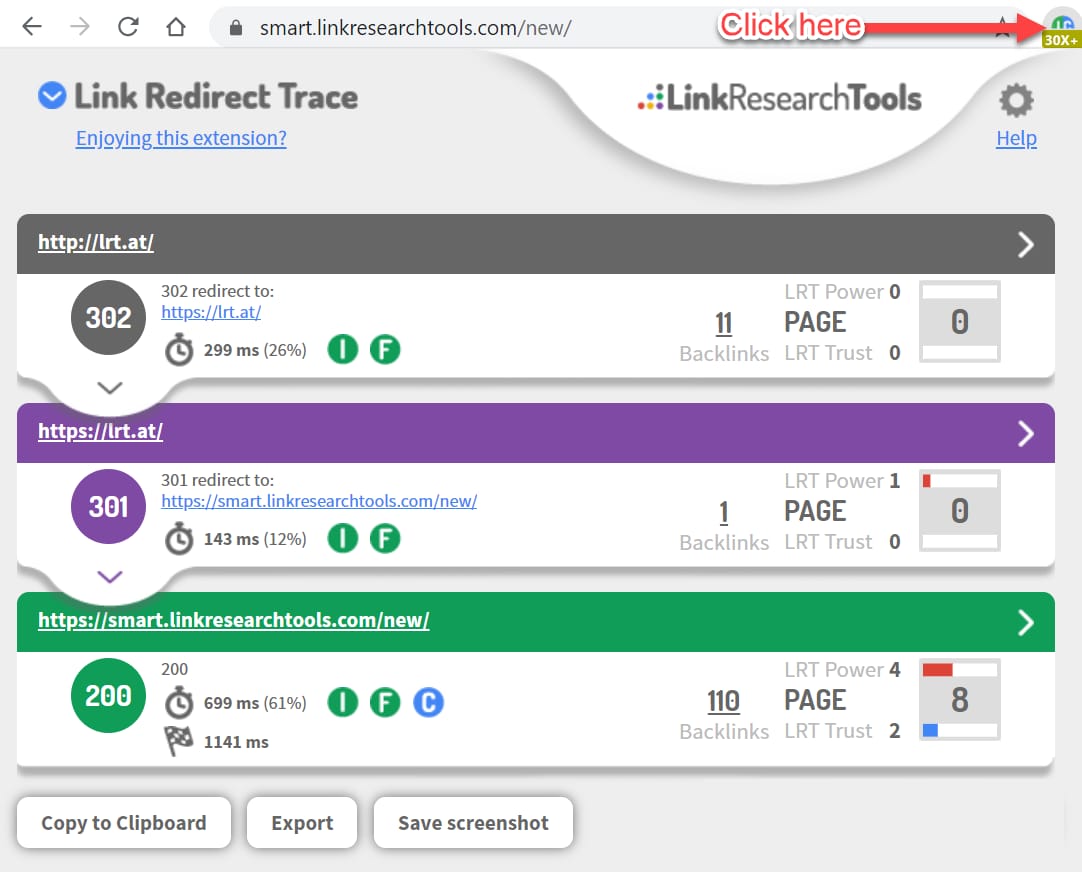
Homepage image: Link Redirect Trace.
Link Redirect Trace is the more detailed option when a redirect question involves headers, robots restrictions or canonical declarations at intermediate steps. The verified listing is published by LinkResearchTools; use that identity rather than an old third-party store link.
For a moved article, start with the old URL and inspect each hop. Look for an unexpected destination, a restrictive header or a canonical pointing elsewhere. Save the observed chain before asking for a change, because the final page alone may not explain the problem.
The extension also exposes proprietary link metrics. Treat these as the vendor's interpretation, not Google's PageRank or proof that a redirect passes a specific amount of ranking value.
Choose it when you need that per-hop detail. Redirect Path is a simpler alternative for checking the navigation sequence; a site-wide migration audit still needs broader URL coverage. Install the current official extension.
10. Robots Exclusion Checker
Robots Exclusion Checker puts crawling and indexability signals close to the page you are reviewing. Its free extension checks robots.txt, robots meta tags, response headers and canonicals, with alerts and a detailed explanation of the detected condition.
Use it when somebody reports that a new category or filtered page should be available to search engines. Open the URL, inspect the reported rule or header, and compare that evidence with the intended policy. A restrictive rule can be deliberate, so investigate before removing it.
A green indicator does not confirm indexing. Google explains that robots.txt controls crawling and has limitations; blocking crawling is not equivalent to a reliable instruction to remove a URL from search.
Choose this for a persistent, focused alert rather than a broad metadata inventory. View Rendered Source is more helpful when you suspect JavaScript is changing the page's directives after the initial response. Official Chrome listing.
11. View Rendered Source
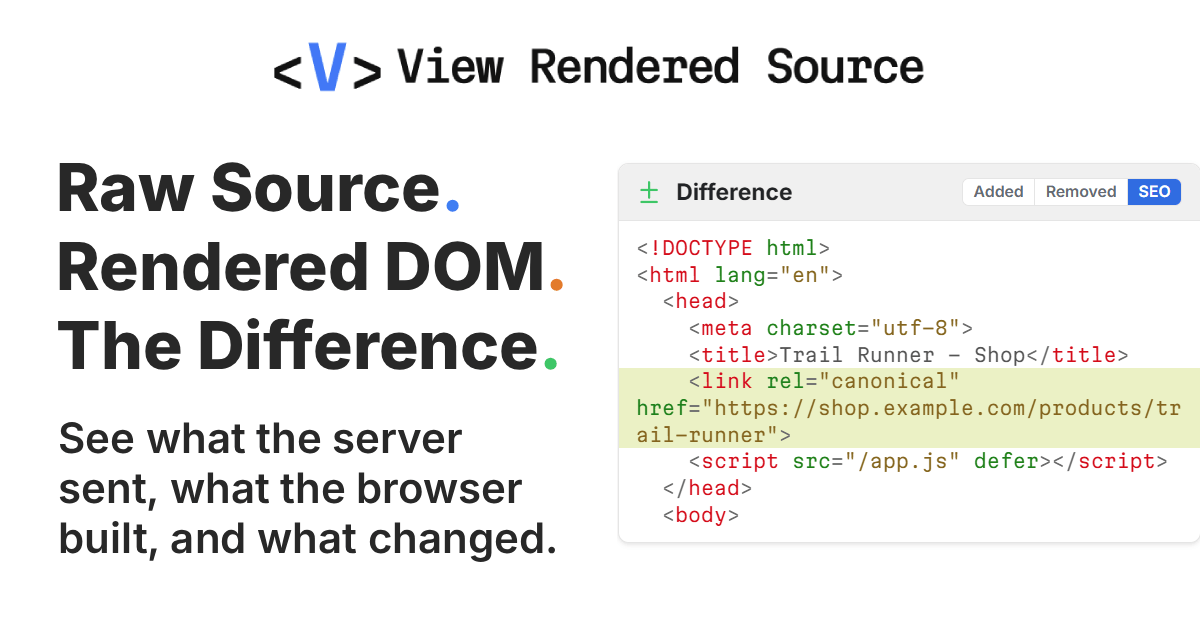
Homepage image: View Rendered Source.
View Rendered Source is useful when the page looks correct in the browser but you suspect JavaScript changed its SEO markup. The current free offering includes raw HTML, rendered DOM and difference panels, an SEO filter, an element inventory, and copy/download functions without an account.
Open a representative page, filter the differences, and compare the title, canonical or robots tag before and after rendering. Save the relevant output with the URL and time so a developer can investigate the actual change.
Pro adds saved snapshots, comparisons and public sharing. Its seven-day trial is optional; it is not the basis for calling the core panels free. The annual license shown in the table covers one browser.
Your browser's DOM is not Google's rendered page. Use Google's JavaScript SEO documentation for the wider crawling and rendering context. A basic inspector is simpler when there is no suspected source-versus-DOM discrepancy. Official Chrome listing.
12. HeadingsMap
HeadingsMap is a focused choice for content editors, accessibility reviewers and SEOs who need to understand a long page's structure. It builds a navigable heading map and also reports landmarks.
Open an article or documentation page, inspect the nesting, and click a heading in the tree to find it in the page. This helps you distinguish a genuine section heading from text that only looks large because of its styling. The current listing also describes updates when the DOM changes.
Its scope matters: the extension excludes headings hidden from assistive technologies. It is therefore not a complete inventory of every heading string present in the raw HTML.
Choose it when navigation and structural review are the main job. A general inspector can combine headings with metadata, while View Rendered Source is better for checking what JavaScript added or removed. A skipped level is something to review for meaning and usability, not automatic proof of a ranking penalty.
13. Web Developer
Web Developer is a broad inspection toolbox rather than an SEO scorecard. Its documented features cover page information, images, CSS, forms and other elements that can help explain what a visitor sees.
For a template review, use the relevant information or image tools to inspect headings, links or alt attributes. Presentation controls can help you investigate whether an apparent content problem comes from styling rather than missing information.
Change one setting at a time and return the browser to its normal state afterward. An altered browser view is an investigation technique; it does not reproduce a search engine's complete crawling and rendering environment.
Choose Web Developer when you are comfortable moving between page elements and presentation controls. HeadingsMap is simpler for an editor who only needs the heading tree. A dedicated metadata inspector is quicker when the question concerns a canonical or description, without the extra developer controls. Official Chrome listing.
14. Check My Links
Homepage image: Check My Links.
Check My Links is useful for an editor reviewing a resource page, navigation menu or long article with many destinations. The current SelectorsHub product page documents free link scanning, status categories, exclusions and CSV reports, with an optional paid Advanced offering.
Open the page, start a scan, then inspect the flagged destinations before replacing or deleting them. Save the report when you need to assign specific links to an owner. Check the exclusion settings so you understand which domains or sections were left out.
A failed request is not always a dead page. A destination may block automated checks, require authentication or fail temporarily. Open the destination and confirm its meaning before treating the flag as a content defect.
Choose this when you want statuses and highlights on the page. Link Grabber is the lighter alternative if you only need a URL list; Checkbot is better suited to checking a bounded group of pages. Use the current official listing.
15. Link Grabber
Link Grabber is an open-source extension for extracting the hyperlinks on an HTML page into a separate tab. It supports substring filtering, grouping by domain, duplicate visibility controls and copying links.
Use it when you need an inventory before deciding what to investigate. For example, collect the links on a category page, filter for a retired path, and copy the matching destinations into a correction brief. Grouping by domain can also make an unexpected external destination easier to notice.
Extraction is the boundary. A URL appearing in the list does not establish that it returns a successful response, reaches the intended content or can be indexed. Use a status checker when those are the actual questions.
Choose Link Grabber when a clean, editable list is more useful than on-page highlights. Check My Links is the better fit for status checks, while a full crawler is needed to discover and inspect links across many pages. Official Chrome listing.
16. NoFollow
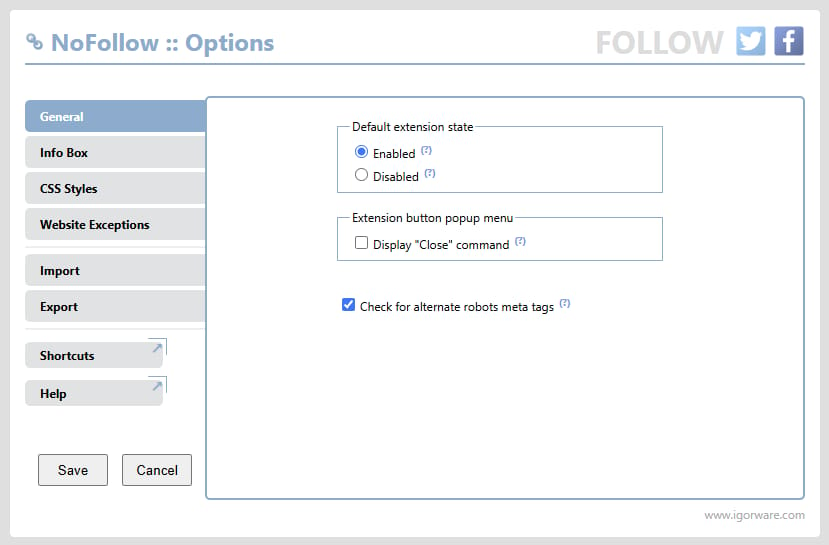
Homepage image: NoFollow.
NoFollow provides a visual way to inspect link attributes and robots meta information. Its current listing documents support for nofollow, ugc and sponsored, site filtering and configurable outlines.
For a sponsored article or a user-generated discussion, enable the relevant checks and inspect the highlighted links. Confirm the actual rel value when a distinction matters; a visual outline alone may not communicate every attribute or combination.
Google's outbound-link guidance explains when to use these values and permits multiple values together. Highlighting does not tell you a link's numerical ranking contribution.
Choose NoFollow when an always-visible attribute cue is more useful than opening a general inspector repeatedly. Link Grabber is better for collecting URLs, and Check My Links answers the separate question of whether a destination responds. Review the extension's settings if a category you expect is not highlighted; the current listing specifies Chrome 116 or later. Official Chrome listing.
17. Schema Builder for Structured Data
Schema.dev's Schema Builder is a free option for checking existing structured data and preparing JSON-LD revisions. Its built-in testing tool reports errors and warnings, while the point-and-click builder helps populate a proposed replacement.
Open a suitable page and inspect the existing markup and reported problems. If a correction is needed, choose the relevant schema type and map the visible facts. Review the proposed properties before handing the result to the person responsible for the implementation. Generated output still needs to be deployed through the site's normal process.
Generating valid syntax is not the same as qualifying for a Google rich result. Google's structured-data policies require relevant, accurate content and do not guarantee a special search appearance.
Choose Schema Builder when a schema check needs to lead into a concrete revision. If you only want to inspect schema already present on a page, Detailed or SEO Pro is the simpler starting point. For the distinction between describing a page and earning a search feature, see the structured-data guide. Keep generation, deployment and eligibility checks as separate outcomes. Official Chrome listing.
18. Lighthouse
Homepage image: GoogleChrome Lighthouse project.
Lighthouse provides a free audit report for performance, accessibility, SEO and other page-quality checks. Its official Chrome extension remains available, but the usage documentation recommends the DevTools workflow unless you have a specific reason to use the extension.
For a public page, request the report, open the failed audits and follow their explanations. Record the page, report date and test conditions before comparing a later result. One score is less useful than a reproducible issue and a specific change to investigate.
The extension does not support local or authenticated pages in the way DevTools does. Choose DevTools for those cases rather than assuming the extension can inspect the page you are signed into.
A Lighthouse performance run is laboratory evidence, not the same as real-user Core Web Vitals data. Checkbot is a different option for a small group of technical URLs; a metadata inspector is faster when you only need to read a canonical. Official extension listing.
19. Checkbot
Homepage image: Checkbot.
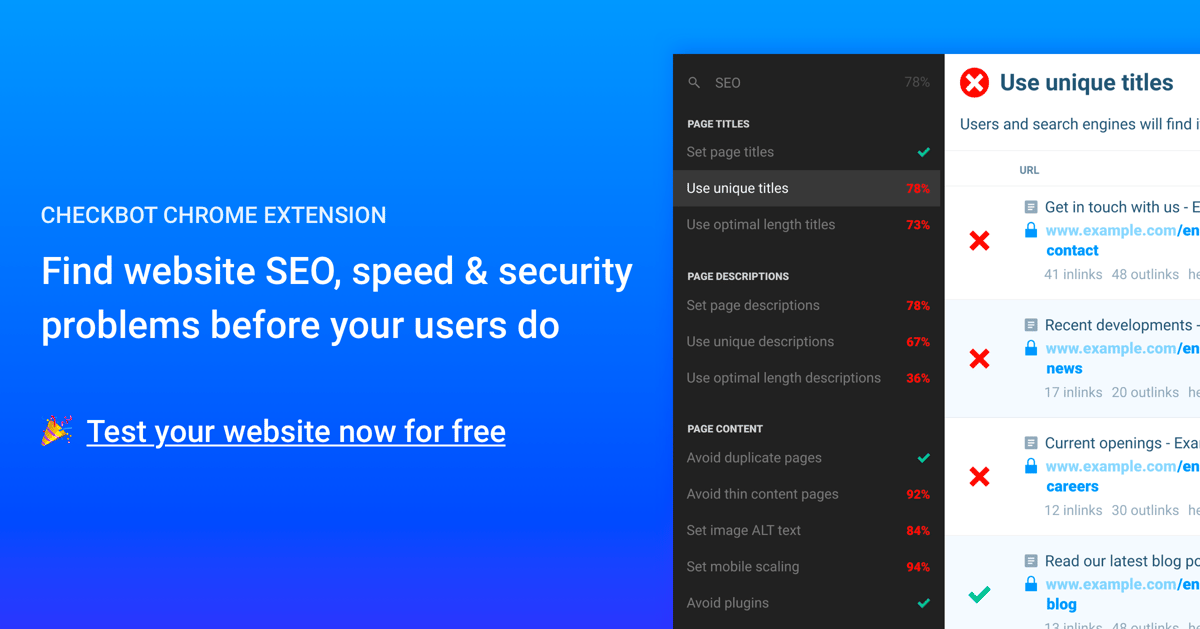
Checkbot is useful when one-page inspection is no longer enough, but your immediate task is still a small technical review. The free Basic offering allows 100 URLs per crawl, with unlimited crawls and sites, and is ad supported.
Use a bounded crawl to look for issues such as broken links, duplicate titles, canonical problems or missing page elements across a small section. Investigate the affected URLs rather than assuming that a summary score explains the cause.
The paid boundary is important: Professional increases coverage to 10,000 URLs per crawl and includes CSV/PDF reporting, localhost crawling, HTTP authentication and other controls. Do not choose the free plan expecting those exports or private-site features.
Choose Checkbot when you need related-page coverage. Check My Links is simpler for the outbound links on one page; Lighthouse serves performance and page-quality investigation rather than the same crawl job. The table distinguishes the monthly plan from its annual equivalent. Official Chrome listing.
20. Wappalyzer
Homepage image: Wappalyzer.
Wappalyzer helps identify the technologies a page exposes, such as its CMS, framework, ecommerce software or analytics tooling. The browser extension is useful for forming the next technical question rather than declaring the cause of an SEO issue.
For example, a detected framework can help you decide whether to compare raw and rendered HTML. A detected CMS can help you find the person responsible for a template. Confirm the actual markup or behavior before recommending a change based on the technology name alone.
Browser detection is separate from Wappalyzer's paid lead-list, lookup and API products. The official pricing page also documents a free platform account with 50 technology lookups per month; that allowance is not the same thing as counting every page you visit with the browser detector.
Choose Wappalyzer for stack context. Use View Rendered Source for evidence of a rendering difference, or a metadata inspector for the page's actual tags. Technology detection is not a vulnerability report or proof of indexing trouble. Official Chrome listing.
21. Keyword Surfer
Homepage image: Keyword Surfer.
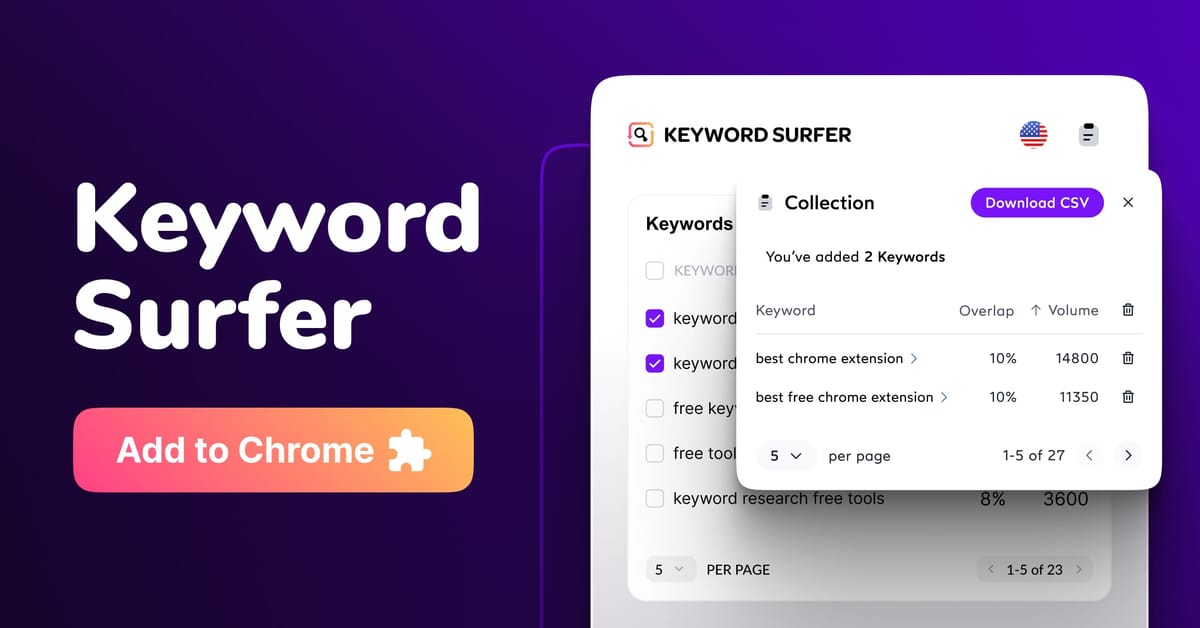
Keyword Surfer adds keyword ideas and search metrics to Google results. Its official page describes a free extension with country datasets, keyword collections and CSV export.
Use it to check the query context around a page you are reviewing. Set the relevant country, inspect related terms and collect a small shortlist before deciding whether the page answers the right question. The side panel may be farther down the results page, so an absent panel at the top is not necessarily a failed installation.
Treat the numbers as vendor estimates. They do not measure your site's sessions, establish conversion potential or guarantee that a suggested term belongs in your content. Keep the country and observation date with any exported shortlist.
Choose it for a quick keyword-context check while searching. A page inspector answers a different question about tags and structure; a dedicated research workflow is better when you need a defensible editorial decision across many queries. The paid Surfer platform is separate from this free extension. Official Chrome listing.
22. SEO Search Simulator by Nightwatch
Nightwatch's Search Simulator is a free option for checking Google results with a chosen country and language. The official product page says the extension does not require an account for the basic simulation.
Enter a query, choose the country and language, and optionally supply a URL to highlight. Record those settings with the date and result. This is more useful than writing down a position without the conditions that produced it.
The extension's own listing warns that numerous requests can encounter rate limits or CAPTCHAs. Its documentation also explains why a browser simulation can differ from the paid tracker's results. Do not describe a single search as an exact, permanent city-level rank.
Choose it for an occasional SERP spot check. Use a consistent tracking workflow when you need history and repeated observations; our rank-tracking guide explains that distinction. The separate platform's annual price and 14-day trial do not limit the extension's documented free basic use. Official Chrome listing.
Keep a small toolkit and record the evidence
Start with one general inspector. Add a redirect tool, link checker or rendering comparison only when the question needs it. Similar tools can be alternatives without all belonging in your browser at once.
Install through the verified publisher's listing and review the requested permissions. Chrome documents how to manage extension access to site data. Access settings vary by extension; adjust them to the task where supported, and confirm that the tool still has the access its check requires.
Keep a small record instead of collecting screenshots without context. Copy this CSV; the URLs are fictional and the blank findings mean no checks have been performed:
url,tool,check,observed_at,environment,finding,evidence,action,status
https://example.com/page/,Detailed SEO Extension,declared canonical,,,,,,not_checked
https://example.com/resources/,Check My Links,link status,,,,,,not_checked
https://example.com/page/,View Rendered Source,raw versus rendered,,,,,,not_checked
Replace the sample rows with your own URL, observation time, browser conditions and evidence. For SERP checks, add country, language and device context. For a failed request, distinguish an unavailable check from a confirmed broken destination.
Finally, match the conclusion to the evidence. A declared canonical is not automatically Google's selected canonical; a green robots indicator is not proof of indexing; a lab audit is not a field-performance pass. Verify the specific issue before changing the page, then repeat the relevant check after the change.