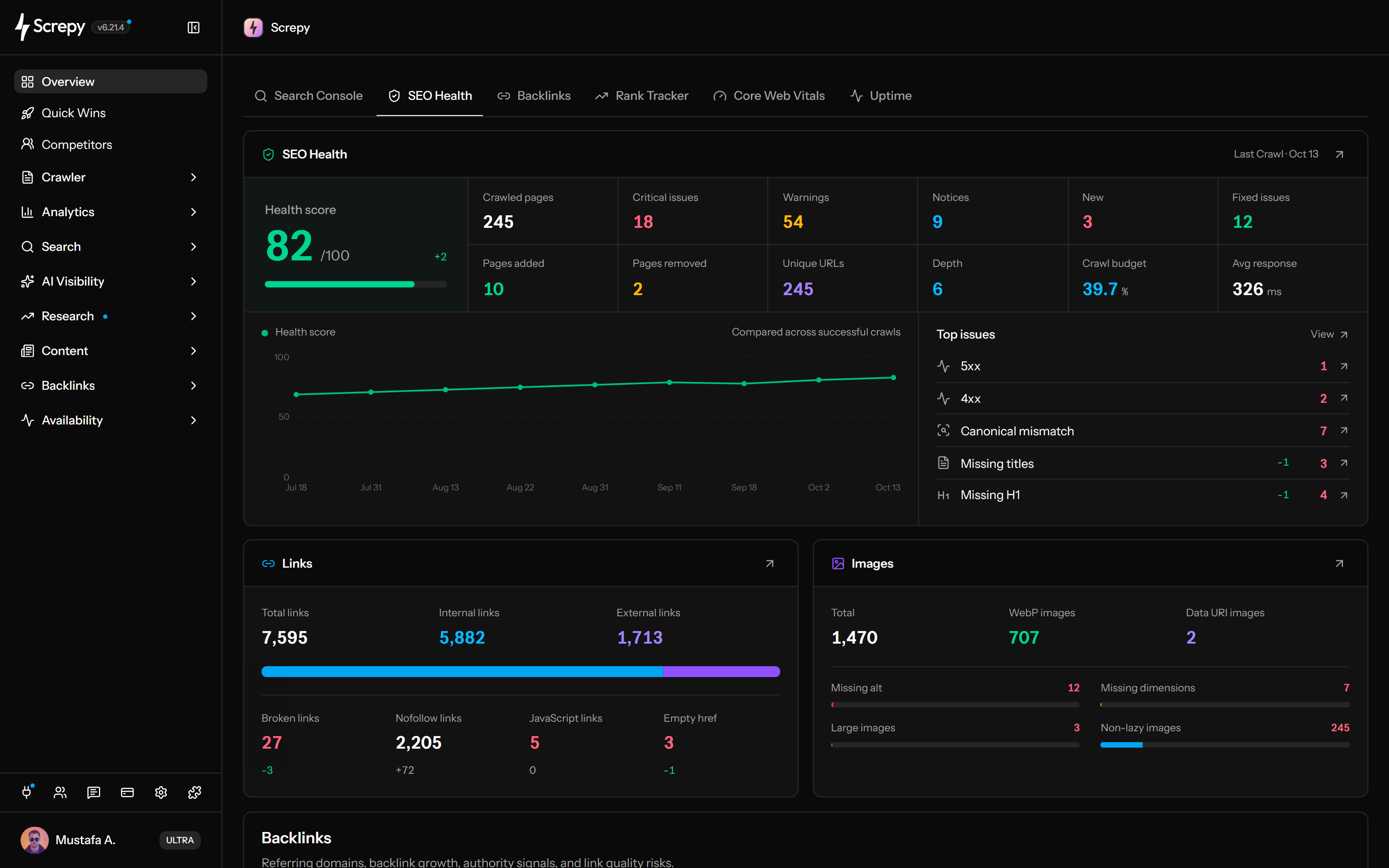
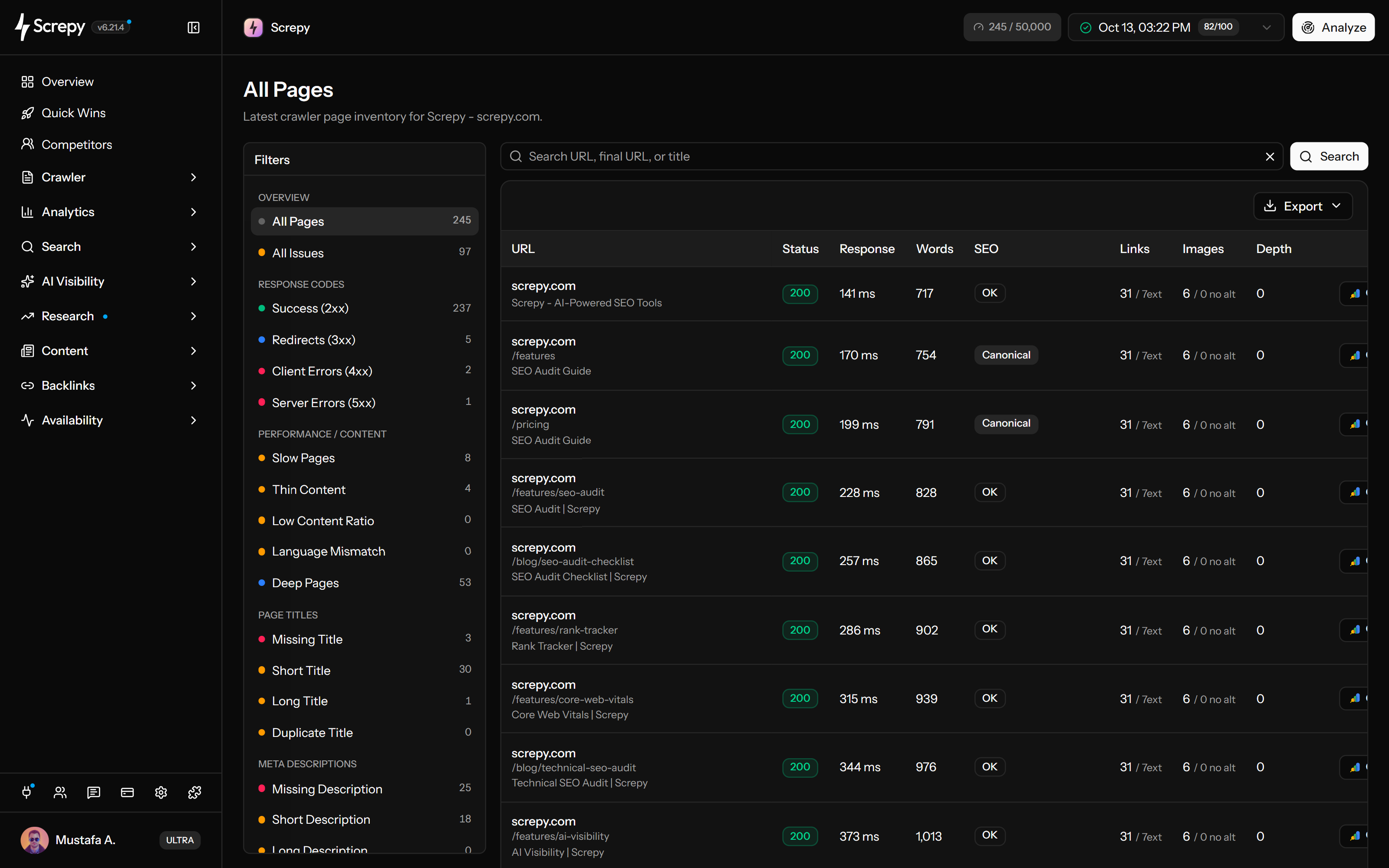
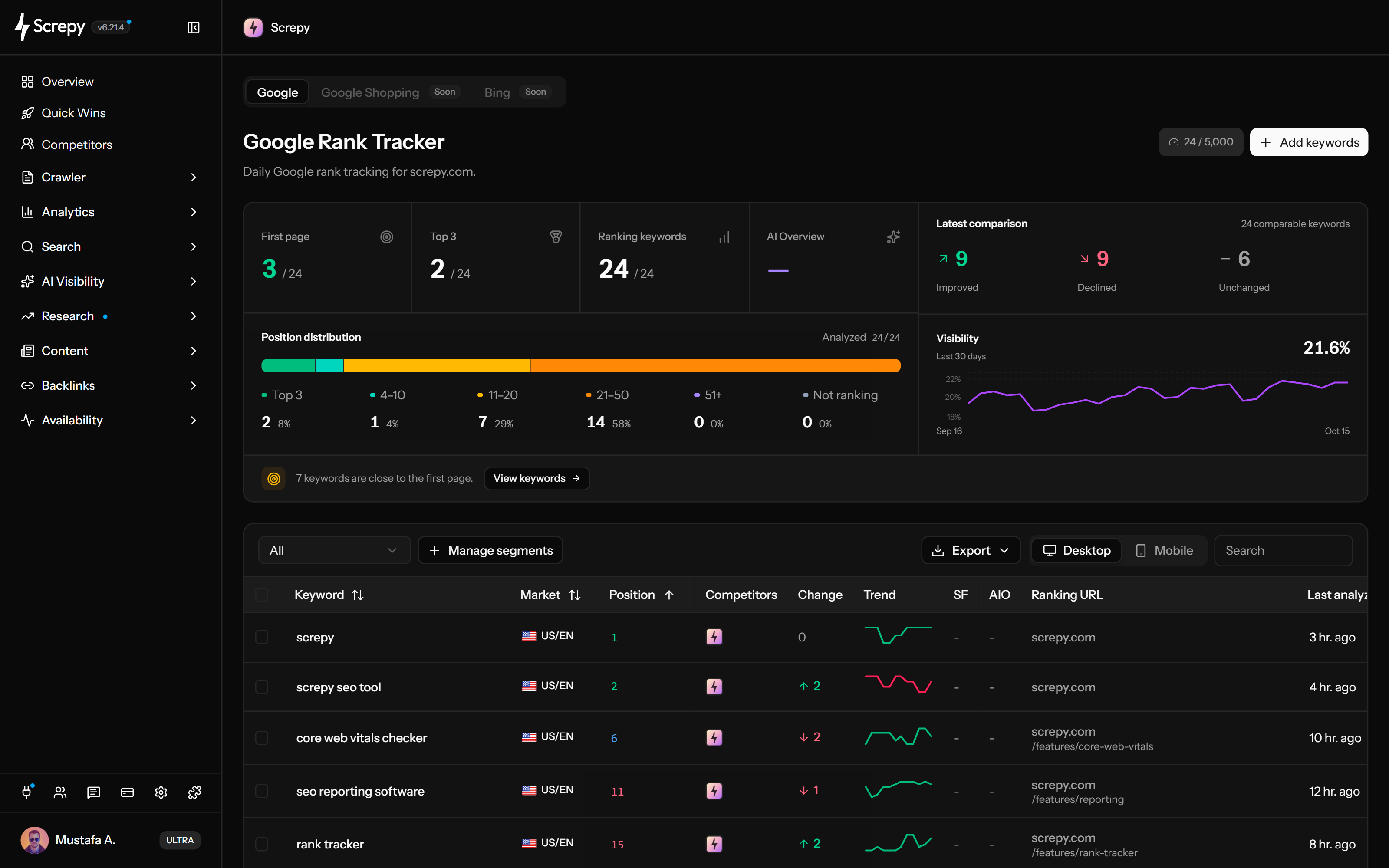
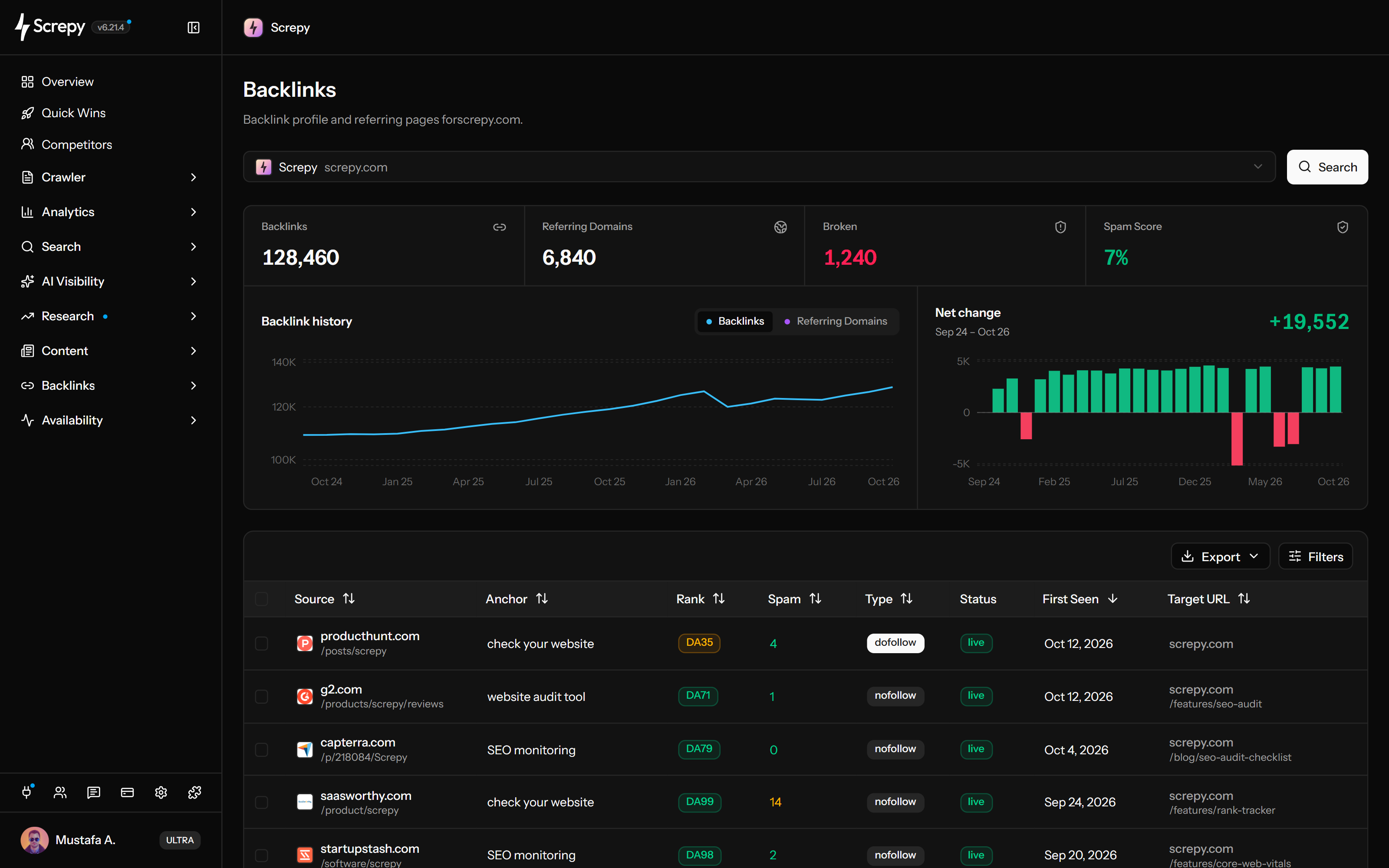
Screpy is a lower-cost, browser-based SEO PowerSuite alternative for teams that want audits, rankings, Search Console, performance, uptime, backlinks, AI visibility, and reports in one workspace. SEO PowerSuite remains stronger for unlimited desktop rank tracking, deep research, and link outreach.
Reviewed by Screpy SEO Team on using the cited product and pricing sources.
Workflows reviewed
Pricing and working model · Website auditing and monitoring · Rank tracking and search research · Backlinks and outreach · AI visibility, reporting, and integrations
Plans compared
Screpy Pro · SEO PowerSuite Free · SEO PowerSuite Professional · SEO PowerSuite Enterprise · SEO PowerSuite Max
Measured scope
35 criteria across 5 sections, supported by 9 cited sources.
Limitations
This is a source-based comparison, not a controlled benchmark of proprietary data or every paid-account workflow. Verify current pricing and availability before buying.
Screpy vs SEO PowerSuite pricing
Screpy Pro costs $19 per month. SEO PowerSuite offers a restricted free edition, then annual Professional, Enterprise, and Max licenses.
Screpy Pro
$19 /month
For teams that want recurring SEO analysis and monitoring in a shared browser workspace.
✓ Five website projects
✓ Five team seats
✓ Audits, rankings, Search Console, and backlinks
✓ Performance, uptime, AI visibility, reports, API, and MCP
Prices checked September 3, 2026. Prices and plan details checked on September 3, 2026. SEO PowerSuite displays promotional monthly equivalents alongside annual charges; the figures below use its one-year billing amounts. Taxes, renewals, data services, and checkout offers may change the total.
Screpy vs SEO PowerSuite feature comparison
A source-checked comparison of the work model, features, and limits buyers evaluate when looking for an SEO PowerSuite alternative.
SEO PowerSuite splits work across four downloadable applications. Screpy keeps recurring audits, monitoring, rankings, backlinks, and AI visibility in one browser-based project.
Open projects without installing desktop software
Keep crawl and monitoring history online
Share access without exchanging project files
Review audits, rankings, and reports in one interface
Avoid managing four separate application workflows
Rank Tracker is a major SEO PowerSuite advantage: paid editions advertise unlimited keywords across more than 550 search engines. Screpy is better suited to focused keyword portfolios that should connect directly with Search Console opportunities and technical work.
Choose SEO PowerSuite for unlimited paid keywords
Track more than 550 search engines on desktop
Use Screpy for focused Google rank monitoring
Connect tracked keywords with Search Console demand
Compare device, location, and competitor requirements
SEO SpyGlass and LinkAssistant combine backlink research, penalty-risk review, prospect discovery, contact finding, templates, and email outreach. Screpy covers backlink monitoring, referring domains, and disavow workflows but does not replace an outreach CRM.
Analyze backlinks and referring domains in both products
Use SEO SpyGlass for deeper desktop backlink research
Find prospects with LinkAssistant
Run email outreach inside SEO PowerSuite
Use Screpy for backlink monitoring and disavow work
SEO PowerSuite now tracks Google AI Overviews and offers RankDots separately for AI-assisted content work. Screpy adds multi-platform answer monitoring for prompts, mentions, citations, sources, sentiment, positions, and competitor share of voice.
Track Google AI Overviews in SEO PowerSuite
Monitor prompts across supported AI assistants in Screpy
Compare brand mentions and competitor share of voice
Review cited pages and source domains
Separate AI answer visibility from crawler traffic
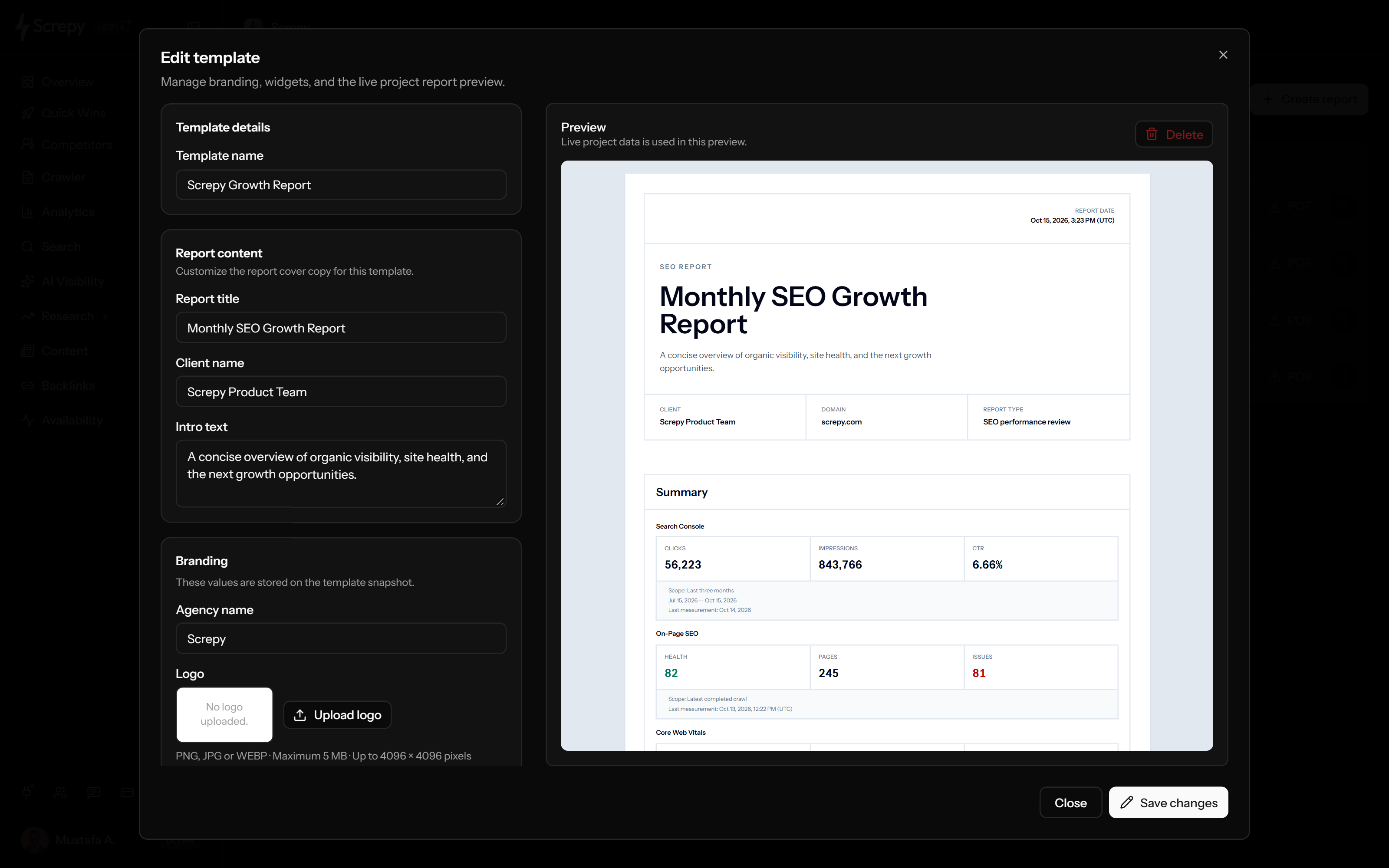
SEO PowerSuite Enterprise adds white-label PDF and HTML reports, customizable templates, scheduled delivery, sharing, and broad exports. Screpy keeps reporting beside live projects and provides API and MCP access for connected workflows.
Create white-label reports on both products
Use SEO PowerSuite Enterprise for scheduled delivery
Keep Screpy reports beside live cloud projects
Export broader file formats from SEO PowerSuite Enterprise
Connect product data through the SEO API and MCP while tracking AI answers and crawler traffic.
Multi-platform answer visibility
Structured access for assistants and automations
Choose SEO PowerSuite for rank-tracking scale
Use the desktop Rank Tracker when unlimited keywords, hundreds of search engines, SERP history, and deep research are central.
Unlimited paid keyword tracking
Local, mobile, competitor, and SERP-feature analysis
Choose SEO PowerSuite for link outreach
Use SEO SpyGlass and LinkAssistant when backlink research must lead into prospect discovery and email campaigns.
Prospect and contact discovery
Templates, outreach, and link verification
How to switch from SEO PowerSuite to Screpy
Move one complete project first. Desktop files can contain history and campaign context that a new cloud project cannot reconstruct automatically.
01
Inventory all four applications
List saved projects, tracked keywords, search engines, locations, competitors, crawl settings, backlink sources, prospects, templates, reports, and scheduled tasks.
02
Export decision-critical history
Save ranking, audit, backlink, competitor, prospect, and report data in the formats allowed by the current SEO PowerSuite edition.
03
Rebuild one representative website
Create the site in Screpy, connect Search Console, run the audit, and configure rankings, performance, uptime, backlinks, AI visibility, and reports.
04
Compare definitions and coverage
Check rank location and device, crawl scope, backlink source, issue rules, update cadence, historical continuity, and report calculations.
05
Run both workflows through one cycle
Confirm that recurring monitoring, team access, reports, API integrations, and stakeholder decisions work before cancelling a license.
06
Keep specialist tools where needed
Retain Rank Tracker or LinkAssistant if unlimited keyword tracking, unusual search engines, prospecting, or outreach remains essential.
Methodology and official sources
SEO PowerSuite capabilities and prices were checked against its current official product, pricing, help, and licensing pages. Promotional monthly equivalents were not used as the primary annual price.
Screpy publishes this comparison. SEO PowerSuite and Link-Assistant.Com are not affiliated with Screpy. Product names and marks belong to their respective owners.
Screpy is the better fit when recurring site monitoring and execution matter more than a broad marketing-intelligence suite. Semrush remains the stronger choice for large-scale keyword, competitor, PPC, and market research.
Screpy is the better fit when recurring site monitoring and execution matter more than a web-scale research database. Ahrefs remains the stronger choice for deep backlink, keyword, competitor, content, and historical research.
Choose by the work you need to repeat: technical SEO execution, small-business guidance, connected marketing insights, or AI visibility.
SEO PowerSuite alternative FAQ
Short answers about SEO PowerSuite pricing, reviews, alternatives, desktop software, features, and switching.
Is SEO PowerSuite free?
A free edition is available for ongoing evaluation. It allows one project without saving, rank checks without saving, audits of up to 500 URLs, analysis of up to 1,100 backlinks, one competitor per project, and Google AI Overview tracking. Paid plans remove major workflow and data restrictions.
How much does SEO PowerSuite cost?
SEO PowerSuite has a restricted free edition. Its current one-year prices are $349 for Professional, $599 for Enterprise, and $899 for Max. Multi-year plans display lower monthly equivalents but require larger advance billing. Confirm current taxes, renewals, and checkout offers before purchasing.
Is Screpy cheaper than SEO PowerSuite?
Screpy Pro is $19 per month. SEO PowerSuite Professional is $349 billed annually, Enterprise is $599 per year, and Max is $899 per year at the prices checked on September 3, 2026. The products have different limits and billing models, so compare the required features rather than monthly equivalents alone.
What tools are included in SEO PowerSuite?
The core suite includes Rank Tracker for rankings and keyword research, WebSite Auditor for technical and on-page audits, SEO SpyGlass for backlinks, and LinkAssistant for prospecting and outreach. RankDots is presented separately for AI topic clustering and content generation.
Does SEO PowerSuite track unlimited keywords?
Its current Professional, Enterprise, and Max plans advertise unlimited tracked keywords. Teams should still test update time, search-engine requirements, safe query processing, machine resources, and any associated search-data services with a representative project.
Can Screpy and SEO PowerSuite be used together?
Yes. A team can use Screpy for shared cloud monitoring, Search Console, uptime, performance, AI visibility, and reporting while keeping Rank Tracker for very large keyword portfolios or LinkAssistant for outreach.
Can Screpy replace every SEO PowerSuite application?
Not for every team. Screpy can consolidate audits, rankings, Search Console, performance, uptime, backlinks, AI visibility, and reporting in the browser. It does not match LinkAssistant's outreach campaign workflow or Rank Tracker's advertised unlimited keywords and more than 550 search engines.
Is SEO PowerSuite cloud-based?
Its four core applications are downloadable software for Windows, macOS, and Linux. Licensed users can use SEO PowerSuite Cloud for project and report storage, but that storage does not turn the desktop suite into the same browser-based working model as Screpy.
Does SEO PowerSuite audit websites?
Yes. WebSite Auditor crawls complete sites on paid plans and covers technical issues, Core Web Vitals, site structure, internal links, page-level audits, content optimization, reports, and scheduled tasks. Screpy provides a cloud-based recurring audit and monitoring workflow.
Does SEO PowerSuite track AI visibility?
Current editions track Google AI Overviews. Screpy covers a different and broader workflow: prompts, mentions, citations, sources, sentiment, positions, and competitors across supported AI assistants, plus separate AI crawler traffic analysis.
What is the best SEO PowerSuite alternative?
The best alternative depends on the workflow. Screpy is a strong browser-based option when technical audits, rankings, Search Console, performance, uptime, backlinks, AI visibility, reports, API, and MCP should stay connected. SEO PowerSuite remains stronger for unlimited desktop rank tracking, broad research, and link outreach.
Does SEO PowerSuite include backlink outreach?
Yes. SEO SpyGlass analyzes backlinks and LinkAssistant supports prospect research, contact collection, email templates, outreach, and link verification. Screpy monitors backlinks, referring domains, and disavow work but does not replace an outreach campaign tool.
What should I export before leaving SEO PowerSuite?
Which SEO PowerSuite plan supports white-label reports?
Enterprise and Max include white-label reports, customizable templates, PDF and HTML delivery, scheduled distribution, sharing, and broader data exports. Professional provides in-app reporting but not the complete agency delivery workflow.

 Screpy Pro