

Start with eBay Product Research to check what comparable items sold for, then choose an eBay keyword or listing tool for the part you cannot do efficiently by hand. A keyword suggestion, a completed sale and an AI-written title answer different questions.
These 11 eBay SEO tools cover sales history, buyer phrases, comparable listings and draft review. The comparison below separates free access from trials, monthly subscriptions from annual offers, and vendor scores from evidence you can verify. None can make an inaccurate listing relevant to a buyer or guarantee a search position.
Compare eBay SEO tools by research task
Choose the output you need before choosing a subscription. Sales history helps assess comparable products; autocomplete supplies candidate wording; listing software helps review and apply that wording.
Prices and public plan limits were checked on November 14, 2026. Amounts below are USD unless stated otherwise. Annual equivalents require the annual payment shown. Promotions, taxes and checkout terms can change.
| Tool | Suitable use case | Relevant features | Free offering or trial | Starting paid price and billing | Important limit |
|---|---|---|---|---|---|
| eBay Product Research | Validate sales and pricing before writing a listing | Historical sales, accepted prices, category and condition filters | Available to sellers with Seller Hub access | No separate paid Product Research plan | Three years of sales history; sell-through metric limited to searches covering sales within 90 days |
| eBay Advanced Search | Inspect closely comparable listings | Keyword exclusions, category, condition, sold/completed and seller filters | Free search interface | Not applicable | Completed-listing history is shorter than Product Research; a sold title does not reveal which query caused the sale |
| ZIK Analytics | Combine keyword and competitor research | Keyword tool, title builder, product and competitor research | Free keyword tool: five searches/day; paid suite advertises a seven-day, $1 trial | PRO pricing: $39.90/month standard monthly price; displayed first-month offer $19.90. Annual offer $148.80/year, equivalent to $12.40/month | Promotional terms differ from regular monthly billing; free lookup is not full suite access |
| Keyword Tool | Build an exportable eBay phrase list | eBay autocomplete, filtering, export and paid modeled metrics | Free suggestions; no free Pro trial | Starter: $88/month, or $816/year equivalent to $68/month | Starter has 50 requests/day shared across web, API and MCP; eBay volume is an estimate |
| Keyword Tool Dominator | Prioritize and export autocomplete phrases | Marketplace selection, relative scores, CSV/TSV | Two free searches/day per source | Plus: displayed $9 promotional one-time payment for 30 days; select eBay as the one included platform | Paid dashboard research requires its Chrome/Edge extension; 30-day access is not lifetime access |
| kwrds.ai | Explore eBay phrasing alongside other channels | Dedicated eBay autocomplete workflow and marketplace selection | Limited first-result preview/trial; free resource pages are separate | UI Full Access: $468/year, equivalent to $39/month; monthly billing amount unavailable in the retrieved pricing view | 1,500 monthly queries across endpoints and 500 AI research queries; do not assume unlimited free eBay research |
| Title Builder | Brainstorm category-aware wording for one item | Suggested category and keyword groups | Advertised as free | No separate paid plan disclosed on its public tool pages | Numeric usage limits and keyword-volume methodology not disclosed |
| AutoDS eBay Title Builder | Select terms and assemble a draft title | Marketplace and exclusion controls, keyword selection, copy and character counter | Public standalone tool described as free | No standalone paid upgrade disclosed; the broader automation platform is separate | Displayed search/sales metrics lack a clear method on the tool page |
| Frooition | Find listing gaps before making catalog changes | Listing scans, item-specific checks, drafting and review tools | Free account and diagnostic access; individual no-account checks limited to three/day | Boost Basic: $46/month or $460/year | Includes 25 application credits/month; additional credits listed at $1.33 each before volume discounts; applicable tax extra |
| 3Dsellers | Combine listing review and catalog management | AI drafts, listing quality checks and bulk workflows | Seven-day trial, no card required | Essential: $19/month or $192/year equivalent to $16/month; AI bulk add-ons from $9/month on eligible plans | Essential covers 100 listings and one eBay account; confirm the plan/add-on required for the AI work you need |
| StoreClaw | Turn supplied research into a draft and checklist | Assisted eBay keyword research and listing drafting | Free plan: 50 daily refresh credits; 300 signup credits advertised | PRO: $19.90/month, 6,000 monthly credits and 100 daily refresh credits | Credits are not a guaranteed number of listings; native eBay connector and data provenance were not established by this review |
This is a documentation-based comparison, not a hands-on benchmark. Inclusion requires a documented eBay search, sales-research or listing-review workflow. Product Research and Advanced Search are separate native tools with different datasets and controls; each third-party suite is counted once.
The images below are the vendors' actual homepage social previews, linked to their sources. They illustrate the products and do not represent our testing. If you also sell on Etsy, use a separate Etsy SEO tool comparison: suggestions and marketplace metrics should stay attached to their original marketplace.
1. eBay Product Research: validate sales history
eBay Product Research, formerly known as Terapeak, is the strongest starting point when your question is what comparable items actually sold for. Sellers with Seller Hub access can use it from the Research tab; eBay also documents access through its mobile apps.
Search for a product or keyword, then narrow the category, condition, brand and buyer/seller locations. For a used camera lens, separate lens-only sales from kits and separate used items from new stock before comparing prices. The tool provides up to three years of sales history, including actual accepted prices when a Best Offer was involved.
Its useful outputs include average prices, shipping information and seller counts. The sell-through metric applies to searches of items sold within 90 days, even though the broader sales history extends further.
Matching sales are evidence about the products returned by that search, not a count of buyers searching that exact phrase. Use a suggestion tool later if you need alternative wording. Use Advanced Search next if you want to inspect individual comparable listing titles and details more closely.
Sourcing insights is a separate feature available to business sellers with a Basic Store subscription or above. Do not buy a Store subscription solely because an older article says Product Research requires one.
2. eBay Advanced Search: inspect comparable listings
eBay Advanced Search is useful when a broad keyword gives you a misleading mixture of products. Its form lets you specify keywords, exclude words, choose a category and filter by condition, location, seller and buying format. Sold and completed items are separate controls.
For example, search an exact lens model, exclude “kit” and “bundle,” and inspect sold listings in the same condition and market. Record which product attributes appear in the titles, which accessories were included and whether the listing genuinely matches your item. An exclusion can also remove a legitimate comparable, so check the resulting sample before drawing conclusions.
This is a different job from aggregate sales research. You are examining individual listing evidence and refining a comparable set. eBay's Product Research documentation contrasts its three-year history with completed-listing results covering the previous 90 days; use Product Research for the longer view and actual accepted Best Offer prices.
The limitation is attribution: you can see a title on an item that sold, but you cannot infer the buyer's original query or isolate the title's contribution to that sale. Do not copy competitors' titles or treat repeated wording as a guaranteed ranking formula.
3. ZIK Analytics: connect keywords and competitor research
ZIK Analytics suits sellers who want candidate phrases, analysis of competing listings and title building within one research suite. Its eBay keyword tool can provide a small starting sample without committing to the full subscription.
Begin with a product seed and the relevant eBay market. Shortlist terms that describe your item, then use competitor and product research to inspect what those terms return. A phrase may look attractive in a tool yet lead to a different model, condition or accessory bundle. Resolve that mismatch before putting it into a title.
The free keyword page states a limit of five searches per day. For the paid suite, use the dedicated pricing page: it advertises a seven-day, $1 trial, rather than a permanent free plan. The retrieved pages contained inconsistent “free trial” wording, so the paid pricing terms are the safer reference.
The current first-month and annual offers also differ from the standard monthly price shown in the table. Check the selected billing option and renewal terms before purchase.
Choose ZIK when the combined competitor workflow saves you work. Choose eBay's native research first when you mainly need documented transaction history; a vendor metric should not be presented as an independently verified count of eBay searches.
4. Keyword Tool: expand eBay autocomplete ideas
Keyword Tool's eBay mode is a practical choice when your main deliverable is a list of phrases to filter and export. Select eBay and the marketplace you sell on, enter a seed, and remove suggestions that do not describe your stock.
For a USB-C dock, keep compatibility, port and power-delivery terms only when the product's documentation supports them. A suggestion containing a laptop model or charging wattage is a research lead, not permission to add that claim to the listing. Export a cleaned list and preserve its source and market.
The free version supplies candidate phrases. Paid plans add more research capacity and metrics. Keyword Tool's current methodology distinguishes Google/Bing planner data from modeled estimates for other platforms. Treat an eBay volume figure accordingly; do not label it an official eBay count.
Starter's daily requests are shared across its web interface, API and MCP access. Generating suggestions and checking volume both consume that pool. A refund guarantee requires payment and is not a free trial.
Choose this tool for phrase expansion and an export workflow. Use eBay Product Research alongside it for comparable sales, rather than expecting autocomplete to validate profitability or conversion.
5. Keyword Tool Dominator: score and export suggestions
Keyword Tool Dominator's eBay tool combines live autocomplete suggestions with filtering, relative scores and CSV/TSV export. It fits sellers who want a manageable keyword shortlist rather than a general website SEO dashboard.
Choose the eBay marketplace, search a seed, remove irrelevant phrases and export the result. Keep a column explaining why each phrase fits the item. The tool explicitly says its Popularity Score and Hot Keywords compare phrases in a list; they are not monthly search-volume measurements. A high score cannot establish sales potential by itself.
The public tool allows two free searches per day for that keyword source without signup. The dashboard is a separate workflow: its research runs through the required Chrome or Edge extension. Check the extension and account requirements before expecting the public website's workflow to scale unchanged.
Plus includes one platform and 50 daily keyword searches; select eBay if that is your sole research need. The displayed $9 offer buys 30 days of access, not lifetime access or an automatically recurring $9 monthly subscription.
Use a paid tier when saved lists and repeated research justify it. For occasional listings, the free allowance plus eBay's own sales research may be enough.
6. kwrds.ai: research marketplace phrasing
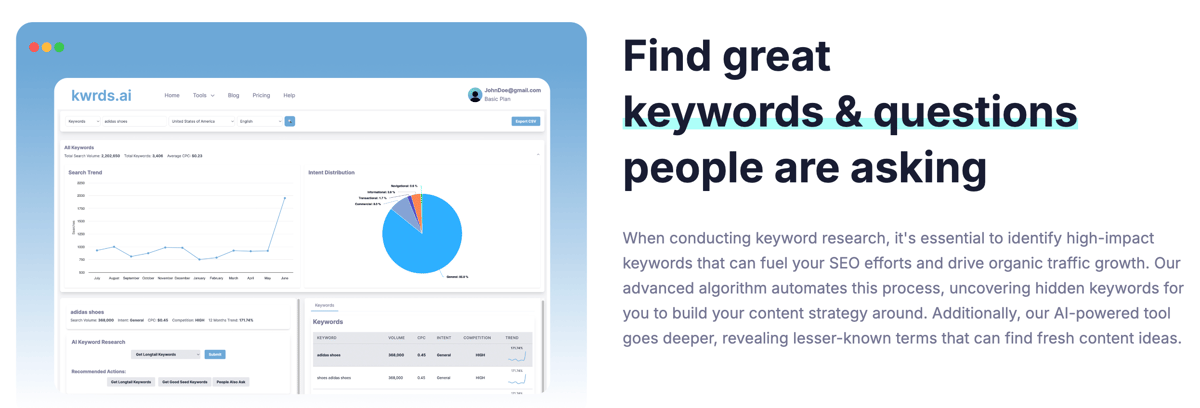
kwrds.ai's eBay page offers a dedicated autocomplete workflow with support for markets including the US, UK, Germany and Australia. It can suit a seller who researches wording across several channels but wants to keep each channel's suggestions separate.
Select eBay and the appropriate market before searching. Compare a broad product seed with an exact model seed, then keep phrases that match the item's brand, condition and included components. Do not attach a Google volume number to an eBay suggestion simply because both appear inside the same platform.
The page promotes free keyword research, while its pricing FAQ describes a limited preview showing the first keyword result and first People Also Ask result. Treat that as a preview, not an unlimited free research allowance. The retrieved paid pricing view shows $39 per month billed annually and the query limits in the table.
The pricing page also contains inconsistent API-entitlement wording. This comparison therefore makes no API-access promise. If exporting or integrating results is essential, obtain confirmation for the exact plan before paying.
Choose it for marketplace phrasing. Use a tool with clearly documented CSV export, such as Keyword Tool or Keyword Tool Dominator, when an exportable research file is your main requirement.
7. Title Builder: assemble a category-aware title
Title Builder is a focused option for a seller who wants to brainstorm wording for one item. Its public tool accepts a short item description and presents a suggested category plus keyword groups such as Hot, Popular, Searched and Extra.
Start with two to four descriptive words, then check the suggested category before selecting terms. For a collectible, a wrong category can introduce vocabulary for reproductions, accessories or unrelated editions. Build a candidate from the terms you can substantiate, rather than copying every prominent suggestion.
The tool's group labels are useful for organizing ideas, but its public pages do not establish a transparent monthly-volume methodology or numerical usage allowance. Do not translate “Hot” into a specific number of searches or assume access is unlimited. No separate paid upgrade was disclosed on the reviewed pages.
Its strength is the short path from seed to title ideas. Its limit is evidence depth: category suggestions and popularity labels do not replace a check of comparable sold items. Choose eBay Product Research for transaction history, or an export-focused keyword tool when you need to maintain a larger research file.
Review the final wording against your actual item and eBay's title limit before publishing.
8. AutoDS eBay Title Builder: select terms within 80 characters

The standalone AutoDS eBay Title Builder helps assemble a title from suggested keywords. It provides marketplace and exclusion controls, a copy function and a visible 80-character counter. It is separate from buying the broader AutoDS automation platform.
Choose your marketplace, describe the product and exclude terms you already know are wrong. For a used accessory, that might mean excluding “new” or a different model name. Select relevant words, inspect the assembled title and copy it into your own review process.
The page displays labels for average searches, competition and sales. The reviewed tool page does not clearly document how those figures are produced. Use the wording suggestions cautiously and verify sales evidence elsewhere; this comparison does not endorse the labels as audited eBay demand.
The public builder is described as free, with no standalone paid upgrade disclosed. That does not mean every AutoDS product or automation feature is free, nor does it establish an unlimited quota.
Choose it when a lightweight title assembly interface is the missing step. If you need historical accepted prices or a defensible demand comparison, use eBay Product Research before drafting.
9. Frooition: review listing gaps before bulk changes
Frooition's listing software is a stronger fit when the problem is missing or inconsistent listing information across a catalog. Its documented tools include listing scans, item-specific checks, category finding and AI-assisted title, description and item-specific work.
Start with diagnosis. Inspect a missing field on a real listing, confirm the correct value from the item or its documentation, and review a small group before considering a bulk change. A suggested compatibility value can be wrong even when it fills an otherwise empty field.
Frooition distinguishes free discovery from paid application work. Its current listing-software page describes a free account with live-listing scans and individual listing creation, while Boost Basic provides bulk tools. The paid plan includes application credits; additional credits and applicable taxes can affect the total cost. Check which action consumes a credit before applying a batch.
The AI workflow includes review and refinement before publishing. Treat generated product facts as proposals to check, not verified specifications.
Choose Frooition when listing completeness and controlled catalog changes are the bottleneck. Choose a dedicated keyword exporter when you only need a phrase list. Also check whether another listing system will overwrite changes on its next synchronization; Frooition explicitly identifies that compatibility issue.
10. 3Dsellers: audit and draft within listing management
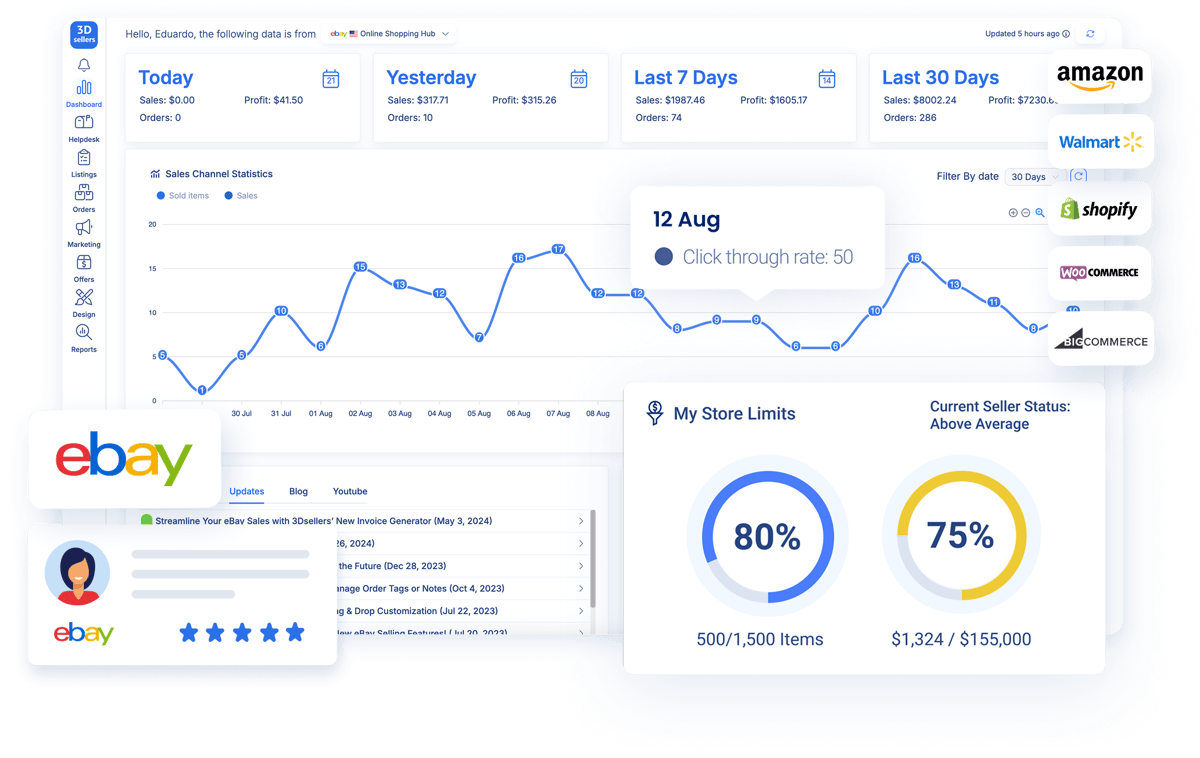
3Dsellers' eBay AI tools combine listing generation, editing and quality review with catalog management. The documented workflow accepts inputs such as an image, URL or product identifier and lets you save and review the generated listing before publishing.
For an exact model number, compare the draft with the item's packaging, manufacturer details and physical condition. Remove invented accessories, capacity, warranty or compatibility claims. A fluent title is still wrong if it describes a different variant.
The Listing Quality Score reviews elements including titles, descriptions and item specifics. Use the breakdown to prioritize inspection, not as an eBay ranking score or proof that a rewrite will increase sales.
The seven-day trial does not require a card. For ongoing use, distinguish the platform's starting Essential plan from the AI bulk add-ons offered on eligible plans. Essential's 100-listing, one-account allowance is materially different from an unlimited catalog, and the cheapest platform price does not establish that every AI feature is included.
Choose 3Dsellers when you want listing review close to the catalog you manage. Choose a narrower research tool if you do not need account connections, catalog management or bulk actions.
11. StoreClaw: turn research into a reviewed draft

StoreClaw documents an eBay research and listing-drafting workflow. It is worth considering when you already have product facts and research notes and want help organizing them into a draft and a list of questions to resolve.
Use a bounded request such as:
Prepare an eBay title draft from the product facts and source URLs below.
Keep the title within 80 characters.
Separate verified item facts, candidate buyer phrases and missing information.
For each factual claim, name its supporting source.
Do not add condition, compatibility or accessories that I have not confirmed.
Do not invent search volume, sales or ranking data.
Return a draft for review; do not publish or change a listing.
Its free plan and paid plans use credits. The advertised signup allowance, daily refresh and monthly allocation are different allowances, not a fixed number of finished listings. Check the cost of the task you intend to run.
This review did not establish a native eBay connector or an independently documented eBay keyword-data feed. Do not assume a generated phrase is backed by marketplace demand, or that the tool can safely edit your account because its marketing describes broad automation.
Choose it for assisted synthesis. Choose native eBay research or a dedicated keyword tool when transparent source data is the main requirement.
Build a keyword shortlist you can defend
You rarely need all 11 tools. Start with native sales and comparable-listing research, add one suggestion tool if you need more wording, and consider listing software when applying verified changes becomes the bottleneck.
Keep a small research file that separates the phrase from the evidence. This copyable CSV is a blank workflow template with one illustrative item, not a report of searches or sales:
item_id,verified_item_facts,candidate_phrase,marketplace,source_url,checked_date,comparison_filters,sales_evidence,decision,reason
EXAMPLE-1,"Canon EF 50mm f/1.8 STM; black; used; lens only","Canon EF 50mm f/1.8 STM lens only",ebay.com,,,"Same model; used; lens only",,Review,"Verify phrase source and comparable sales before use"
Use it in this order:
- Write the item facts first. Confirm model, condition, included accessories and any compatibility claims from the item and reliable documentation.
- Collect a small phrase set. Record the actual tool, marketplace, source URL and check date. Keep suggestions separate from measured or modeled metrics.
- Check comparable sales. Hold model, condition, market and selling format consistent. Record the research period and whether a price includes shipping or reflects a bundle.
- Draft a readable title. Keep only accurate terms. For the illustrative facts above, one candidate is:
Canon EF 50mm f/1.8 STM Lens Black Used Lens Only. - Review the listing beyond its title. Confirm category, item specifics, photos, price, shipping and return terms before publishing.
- Record the change and inspect performance. Compare consistent periods and account for price changes, promotions, stock and seasonality. A change in sales does not isolate the effect of a keyword.
eBay's Best Match guidance sets an 80-character title maximum and considers relevance, listing completeness, price, listing terms and seller history. A keyword tool helps with part of that work, rather than replacing the rest.
If your actual goal is Google traffic to your own storefront, follow an ecommerce website SEO workflow as a separate task. eBay search suggestions, Google keyword metrics and a website's rankings should not be combined into one demand number.
Screpy publishes this guide. Its website keyword research feature supports web search research, rather than supplying eBay marketplace keyword data. That is why it is outside this numbered list.