

Choose a product schema generator by how often your offer changes. A copy-and-paste form can suit a few stable product pages. A store with regular price, stock or variant changes usually needs markup generated from its commerce data, with someone responsible for checking that mapping.
These 16 options cover standalone generators, WordPress plugins and Shopify apps. Before adding one, inspect what your theme or existing plugin already publishes. The goal is accurate Product data on the matching page, with a clear update process. Generating another script is useful only when it solves an actual gap.
Compare product schema generators
The comparison uses official tool pages, documentation and pricing checked on November 17, 2026. Inclusion requires a Product markup generation workflow; validators alone are excluded. This is a documentation-based comparison, not a hands-on accuracy benchmark. The order groups implementation methods.
Screpy publishes this guide and provides one of the free generators below. We assess its one-off offer form alongside alternatives, including its limits.
The first eight tools produce code that you must implement and maintain. The remaining tools work inside WordPress or Shopify. Free generator access does not include paid agency services, hosting or a store subscription. For paid tools, compare the actual billing period, renewal price and relevant product/site limits.
| Tool | Suitable use case | Relevant output or workflow | Free offering or trial | Starting paid price | Important limit |
|---|---|---|---|---|---|
| TechnicalSEO.com | Building a one-off Product block | Product, offer, rating and review fields; copy JSON-LD | Public standalone generator | No paid generator tier listed | JavaScript interface; manual installation and updates |
| Web Code Tools | Choosing Offer versus AggregateOffer | Product form with offer, rating and review options | Public standalone generator | No paid generator tier listed | An aggregate offer is not a complete product-variant implementation |
| Screpy | A simple product with one offer | Copy a script or download JSON | Free generator | No paid plan required | No catalog sync, ProductGroup or review generation |
| Searchbloom | Editing offer and review properties manually | Product JSON-LD form | Public standalone generator | No paid generator tier listed | Product facts remain your responsibility |
| RankRanger | A detailed manual Product form | Identifiers, offers, ratings and reviews; copy/test controls | Public standalone generator | No paid generator tier listed | Separate from its broader brand's current website; no store deployment |
| JSONLD.com | Learning from a form and editable examples | Product generation with live field feedback | Free, no signup stated | No paid generator tier listed | Historical examples can contain obsolete prices or dates |
| Replo | Preparing product code from a form or CSV | Product fields and catalog CSV input | Free tool | No paid Replo subscription required for this generator | A generated catalog file does not install itself in a storefront |
| Google Structured Data Markup Helper | Tagging an existing page or HTML sample | Select Products, tag values and export markup | Public Google tool | No paid tier listed | Sample-page workflow, not inventory synchronization |
| Rank Math | WooCommerce field mapping | Product data from WooCommerce; paid advanced controls | Free plugin includes core WooCommerce Product integration | PRO US$5.59/month equivalent, billed annually, promotional; renews at US$8.99/month equivalent, billed annually, before tax | PRO covers owned sites, not client sites; feature availability varies |
| SEOPress PRO | WordPress rules and field mapping | Manual and automatic Product schemas | Free plugin is separate from PRO schema features | US$49/year for 1 site, excluding VAT | Check mapped fields on each product template |
| AIOSEO | Product controls within an existing SEO plugin | Product schema editor and WooCommerce field generation | Product controls require Basic or higher | Basic US$49.50 introductory year for 1 site; renews at US$99/year | Paid version access is distinct from the plan named Pro |
| Yoast WooCommerce SEO | A WooCommerce store using Yoast | Store-linked structured data in a plugin package | No permanent free WooCommerce SEO package listed | US$178.80/year, excluding VAT | Includes other Yoast plugins; review existing schema ownership |
| Schema Pro | WordPress display rules and custom fields | Product markup with configurable field mapping | 14-day refund policy, not a free tier | US$59 introductory year, unlimited sites; renews at US$79/year | Promotional pricing; lifetime offer is a separate one-time purchase |
| Schema Markup Snippets by Nabu | A Shopify store seeking a free app | Product and variant JSON-LD plus other store schemas | Listed as Free in Shopify App Store | No paid tier listed | Requires Shopify installation and review of existing theme output |
| Schema Plus | Shopify stores wanting supported setup | Product/review schema and review-app integrations | 14-day trial | Lite US$10.99 per 30 days, or US$105.50/year | Lite allows up to 5 Product & Review schemas; higher tiers expand coverage |
| Ilana's JSON-LD for SEO | Shopify stores budgeting for audit and support | Product markup, structured-data audit and ongoing monitoring | 7-day trial | US$399/year | Annual subscription; no permanent free plan listed |
The Rank Math monthly figure above is an annual plan's equivalent, not a month-to-month purchase. Promotions and renewal terms can change; recheck the linked official plan before paying.
1. TechnicalSEO.com

Homepage image: TechnicalSEO.com.
TechnicalSEO.com's Schema Markup Generator is useful when you want to construct a Product block field by field. Its live application includes Product options for offers, aggregate ratings and reviews.
Choose Product, enter the actual product identity and offer details, then copy the JSON-LD for the matching page. A developer can also use that draft to discuss which values a store template should obtain from the catalog.
The advantage is explicit control over the proposed properties. The limitation is maintenance: a copied price remains the copied price until your implementation changes it. It is not a stock or promotion feed.
Use only ratings and reviews that actually exist and meet the relevant guidelines. If you need many changing offers, a commerce-linked plugin or app is usually a more manageable starting point than creating separate static blocks.
2. Web Code Tools
Web Code Tools' Product generator makes the offer structure visible in the form. It includes product identification fields, Offer or AggregateOffer choices, and options for ratings and reviews.
That is useful when you need to distinguish one seller's offer from a genuine set of offers for the same product. For a simple store page, begin with the actual single offer rather than selecting AggregateOffer merely because the product comes in several sizes.
The form is a convenient code-preparation step, but its input options are not a complete explanation of Google's variant requirements. A price range alone does not describe which size, color or stock state a customer can buy.
Use the generated block as a draft to validate and install deliberately. Choose a platform integration instead when the data should follow catalog changes automatically.
3. Screpy

Homepage image: Screpy.
Screpy's free Schema Markup Generator suits a straightforward product page with one current offer. Select Product, enter the name, page URL, price, currency and availability, then add relevant details such as the image, SKU and brand.
You can copy a complete script or download the JSON. For a small custom site, that gives the person maintaining the page a concrete starting block without buying a plugin.
Its limits are material: it generates one Product with one Offer. It does not read your page, install the code, update stock, build ProductGroup relationships or generate reviews. An optional image field does not mean an image is optional for every Google shopping feature.
Choose it for a controlled one-off draft. For a changing WooCommerce or Shopify catalog, compare the store-linked tools below and verify their output against your real offers.
4. Searchbloom

Homepage image: Searchbloom.
Searchbloom's schema generator provides a Product form with offer, aggregate-offer, availability, condition, rating and review options. It fits someone who wants to inspect those choices before handing code to a developer.
For example, use the form to describe one real offer, then compare the proposed price, currency and stock state with the visible product page. Leave review fields unused when you have no qualifying review data.
The current page also advertises Knowledge Graph autofill, but explicitly for Organization and Person. Do not assume it discovers or verifies your product's commercial facts.
Its strength is manual property control. Its boundary is the same as other standalone forms: producing code is separate from keeping the storefront current. A CMS mapping tool fits better when updates should come from the product database.
5. RankRanger

Homepage image: RankRanger.
RankRanger's standalone schema generator remains a separate, accessible tool even though its main website now presents blog content. The Product interface includes identifiers, offers, aggregate ratings and individual reviews, with copy and testing controls.
It can help when an editor and developer need to agree on which properties describe a product. Prepare a draft with the actual SKU or manufacturer identifier where available, then review the generated values before implementation.
Do not invent an identifier or review to complete a form. Also treat a testing shortcut as navigation to a diagnostic, not evidence that Google will display the result.
This entry concerns the public generator, not a recommendation to purchase a historical RankRanger platform plan. For automatic WooCommerce field updates, compare a current store integration such as Rank Math or SEOPress PRO.
6. JSONLD.com
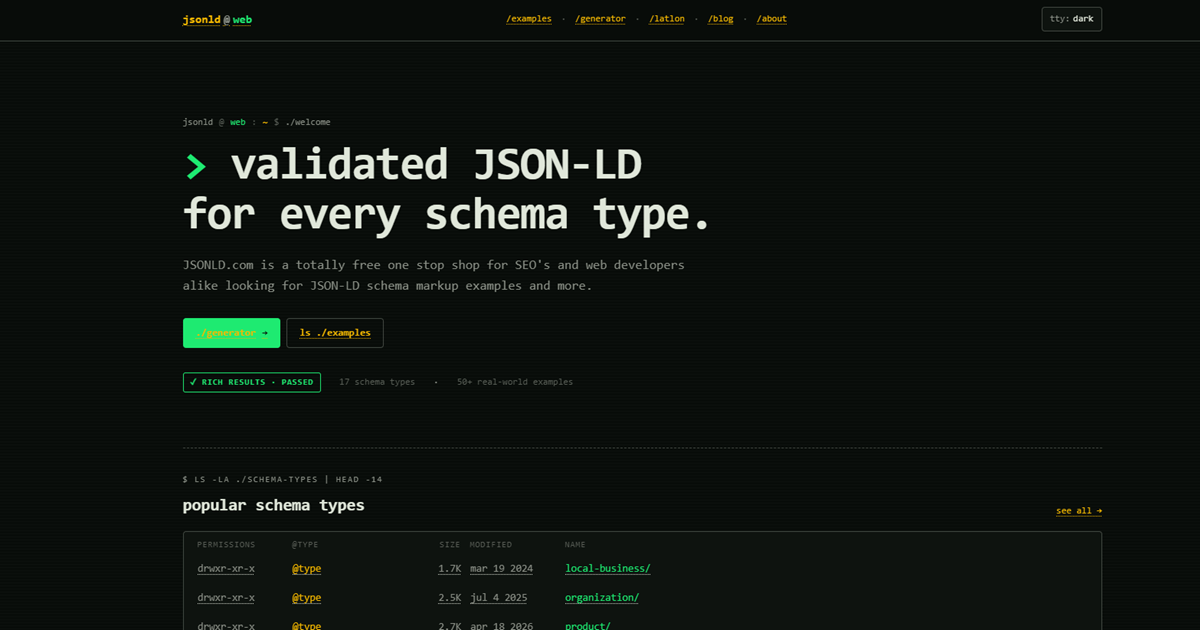
Homepage image: JSONLD.com.
JSONLD.com's free JSON-LD generator supports Product markup with offers, ratings and reviews. The current version describes live required-field feedback, clipboard copying and shortcuts to testing tools, with no signup required.
This is useful for learning the shape of a Product block while preparing your own values. Select Product, enter the real offer and inspect the generated JSON. Treat the field feedback as a drafting aid; check the requirements of the Google feature you actually need separately.
Its example library is helpful for comparison, but some historical examples contain expired dates and old commercial details. Copying an example unchanged would publish someone else's facts or stale values.
Choose the generator for a manual draft and code inspection. Choose a store-linked integration when price and availability should be derived automatically from commerce data.
7. Replo

Homepage image: Replo.
Replo's free Product schema generator accepts a single product or a catalog CSV. Its form includes price, currency, identifiers, product and image URLs, availability and review fields.
The CSV route is useful when you already maintain a clean product spreadsheet and want to prepare code from it. Start with a small sample and inspect how each row maps to the intended page. A file containing several products still needs an implementation that places the right data on each matching product URL.
The tool's search preview is illustrative. It does not prove eligibility or predict the search result Google will show.
This free generator is separate from buying Replo's page-building platform. Choose it for code preparation from structured inputs. A Shopify app can be a better fit when ongoing store data, rather than an exported spreadsheet, should drive the markup.
8. Google Structured Data Markup Helper
Google's Structured Data Markup Helper offers a different workflow: select Products, provide a page URL or HTML sample, and tag the information in that sample rather than beginning with an empty property form.
It is useful when a developer needs to see which visible elements correspond to product data. For example, identify the product name and actual offer price, review the tagged values, then export the proposed markup for implementation.
The official instructions describe this as adding markup to a sample page. It is not a system that keeps your full catalog synchronized, and using a Google tool does not approve your store or guarantee a rich result.
Choose it for mapping page content to structured properties. For recurring price and stock updates, use a commerce-backed implementation and validate the published page afterward.
9. Rank Math

Homepage image: Rank Math.
Rank Math's WooCommerce Product schema integration pulls data from the WooCommerce product, including its name, images, price, currency and stock settings. That suits a store whose catalog is already the source of truth.
Enable the Schema module, inspect a representative product's schema settings and compare the published offer with the WooCommerce fields. Include a sale product and an out-of-stock item in the sample, rather than checking only a standard in-stock page.
The documentation distinguishes free behavior from PRO controls, including global-identifier configuration. It also describes a default price-valid-until value when none is supplied. Review generated defaults against the real offer instead of treating every populated property as a verified business fact.
Choose this route when Rank Math is already your SEO plugin. Adding another broad SEO plugin solely to obtain a second Product block can complicate ownership and troubleshooting.
10. SEOPress PRO

Homepage image: SEOPress.
SEOPress PRO offers manual and automatic structured-data types, including Product. Its documented properties cover product identity, images, price, currency, availability and other commerce details.
It is useful when a WordPress store needs rules for which content receives a Product schema and where each value comes from. Map the relevant fields, then inspect one product from every template or product type that uses those rules.
The advantage is configurable generation within an existing WordPress editing process. The risk is a mapping that is syntactically valid but draws from the wrong field, such as a regular price when a different offer is actually shown. Check the resulting page, not just the setup screen.
This is a PRO feature; installing the free plugin does not supply the same schema controls. Choose a standalone generator for a single static page, or compare your existing WooCommerce integration before adding another schema owner.
11. AIOSEO

Homepage image: AIOSEO.
AIOSEO's Product schema documentation explicitly makes Product controls available on Basic and higher paid plans. That distinction matters: “All in One SEO Pro” can refer to the paid plugin, while “Pro” is also a particular pricing tier.
Use the schema settings to choose Product for the relevant content type or individual product. Its WooCommerce workflow includes an Autogenerate Fields option, allowing store data to supply the product properties instead of maintaining every value manually.
The documentation also states that these schema fields affect source code, not the content visitors see. Entering an attribute here does not make an unsupported claim true or add the missing information to the visible product page.
Choose AIOSEO when it already manages your store's SEO. Review generated fields and visible content together, and avoid installing competing SEO suites just to compare their output on production pages.
12. Yoast WooCommerce SEO

Homepage image: Yoast.
Yoast WooCommerce SEO fits stores already using Yoast that want a store-focused integration. Its current package describes automatic structured data for commerce details alongside broader WooCommerce SEO controls.
Use the store's product data as the starting point, then review a simple item, a variant product and a sale page after configuration. Check what is actually published for the price and stock state shoppers can select. An integrated tool reduces repeated manual entry; it does not eliminate the need to validate market-specific or customized behavior.
The current price is for a package that includes other Yoast plugins, not just a small schema-only add-on. Compare the package you would actually buy with what your store already owns.
Choose it for consistency within a Yoast setup. A lightweight static generator can be sufficient for a few stable custom pages, while switching an entire SEO stack solely for Product markup deserves a more specific justification.
13. Schema Pro

Homepage image: Schema Pro.
Schema Pro is useful when a WordPress site needs structured-data rules and field mapping without adopting another broad SEO suite. Its product site describes choosing a schema type, selecting where it applies and mapping the content fields.
For a small store with a custom product content type, first identify the actual name, image, price and availability fields. Configure the Product mapping for the relevant pages, then inspect the output of a representative item before expanding the rule.
The strength is control over placement and data sources. The limitation is that a rule can spread a wrong mapping just as consistently as a correct one. Custom fields, product variants and existing commerce markup still need deliberate review.
The current annual price is introductory and renews at full price. Its free course and refund policy are not a permanent free plugin plan. Choose it when its mapping workflow solves a real gap in your existing implementation.
14. Schema Markup Snippets by Nabu

Publisher homepage image: AdNabu.
The current Shopify listing calls this app Schema Markup Snippets by Nabu, although older comparisons use Nabu Schema Pro. It is listed as free and describes generating Product and variant JSON-LD from store information.
This suits a small Shopify store that wants an installed workflow without a separate schema subscription. Review its settings for product data, stock rules and variants, then use the preview and linked testing workflow on representative pages.
Its current listing also describes other store schema types, including merchant information. Those capabilities should not be confused with a promise that every possible merchant listing requirement is complete for your store.
Before enabling another output source, inspect your theme and existing apps. Choose this app when its actual generated data fills a verified gap; choose a supported paid option when you specifically need the audit or assistance included in that service.
15. Schema Plus
Schema Plus is a Shopify app with Product and review schema, review-app integrations and setup support. It is relevant when a merchant wants help configuring the output rather than only a block of code.
The small-store pricing limit matters. Lite lists up to five Product & Review schemas. Essential raises the allowance to 250, while Premium lists unlimited Product & Review schemas and merchant shipping/return features. A low starting price is not the price for every catalog size or feature set.
Use a trial to review the products and review integration your store actually needs. Compare generated price, stock and review values with the visible pages, then confirm what remains covered on the plan you would retain.
Choose it when the supported setup and relevant integrations justify a subscription. If your needs are basic and a free app already produces accurate output, identify the missing capability before upgrading.
16. Ilana's JSON-LD for SEO

Publisher homepage image: Ilana Davis.
Ilana's JSON-LD for SEO combines Shopify structured-data generation with a data audit, monitoring and support. It is worth comparing when the store needs help with a less straightforward setup, such as preorders, subscriptions or an integrated review system.
Start by documenting the actual product and offer behavior, then use the included audit and support to review what the app should publish. Check a representative page after a theme change or a relevant product configuration change, rather than assuming installation completes every future maintenance task.
The annual subscription is materially different from a free manual generator. Its value depends on whether the included assistance solves a problem your team would otherwise struggle to maintain.
The seven-day trial is not a permanent free plan, and monitoring is not a rich-result guarantee. For a simple store already publishing accurate markup, establish the concrete gap before buying another schema service.
Generate, install and verify one product
Start with the output already on the product page. WooCommerce, a theme or an installed app may already provide the relevant data. Identify which component should own the Product and Offer facts, then fix a missing or conflicting mapping at that source. Multiple structured-data blocks are not automatically wrong; contradictory descriptions of the same offer need investigation.
Prepare facts for the result you need
Google distinguishes Product snippets and merchant listings. A generator's required fields are not a complete statement of every Google requirement. Merchant listings concern pages where shoppers can purchase the product, and their current documentation describes the applicable properties and conditions.
Use the actual page URL, product name, accessible image, current price, currency and stock state. Add identifiers and reviews only when they are genuine and appropriate. Do not invent a GTIN, rating or expiry date to satisfy a form or silence a warning.
This fictional example illustrates one product with one offer:
<script type="application/ld+json">
{
  "@context": "https://schema.org",
  "@type": "Product",
  "@id": "https://example.com/products/linen-tea-towel/#product",
  "name": "Natural linen tea towel",
  "url": "https://example.com/products/linen-tea-towel/",
  "image": "https://example.com/images/linen-tea-towel.jpg",
  "description": "Natural linen tea towel with a hanging loop.",
  "offers": {
    "@type": "Offer",
    "url": "https://example.com/products/linen-tea-towel/",
    "price": "14.50",
    "priceCurrency": "USD",
    "availability": "https://schema.org/InStock"
  }
}
</script>
Replace every example value and URL. This is a starting structure, not a complete implementation of product variants, shipping, returns or every merchant feature. If each size has different stock or pricing, evaluate the actual variant model instead of publishing one generic offer for all choices.
Install the right data on the right page
For static code, add the script through the site mechanism responsible for that product page, with a named owner for future changes. Avoid placing one product's offer in a global header that appears across the store.
For a plugin or app, map the fields and inspect the published output. Do not stack several generators experimentally on a live store. Choose a clear implementation path and keep a way to restore the previous configuration.
Google recommends Product data in the initial HTML for merchant use and notes that JavaScript-generated markup can make shopping crawls less reliable for rapidly changing price and availability. Check the actual implementation rather than assuming that every installed app renders data the same way.
Check syntax, meaning and updates separately
Use the Rich Results Test for supported Google features. Separately compare the generated facts with the visible offer, currency and selected product state. A validator can recognize a number without knowing whether it is today's selling price.
Retest after a meaningful change. This illustrative acceptance record leaves the observed values blank until someone checks the page:
product_url,change,expected_price,visible_price,jsonld_price,result
https://example.com/products/linen-tea-towel/,price_changed_to_16_USD,16.00,,,pending
For WooCommerce, our Product schema checks cover a deeper review of sale prices, variants, identifiers, images, reviews and policies.
Choose the generator that your team can maintain. Accurate markup can support eligibility and understanding; it does not guarantee a particular search appearance, ranking or AI citation.