

Start with Search Analytics for Sheets when you need query and page data from Search Console, GA4 Reports Builder when you need organic landing-page outcomes, and Keywords in Sheets when you need new keyword ideas. Choose a broader connector only when your research needs several sources or a custom API.
These 18 Google Sheets add-ons cover different jobs: finding opportunities, checking rankings, comparing competitors, enriching URL lists and preparing research data. They are alternatives to choose among, not an installation checklist. The important differences are the data you can access, the work required to retrieve it and the limits you will hit after the trial.
Compare Google Sheets SEO add-ons
Prices and public plan descriptions were checked on November 2, 2026. USD and EUR are shown separately. Annual equivalents require the annual commitment; they are not month-to-month prices. A connector fee does not include a separately billed SEO API or data subscription.
| Add-on | Suitable research job and features | Free offering or trial | Starting paid price and billing | Important limit |
|---|---|---|---|---|
| Search Analytics for Sheets | Search Console query/page analysis, backups and URL inspection | Free plan with row caps | USD 19/month; USD 16/month equivalent yearly | API coverage and inspection quotas still apply; Free row displays differ between pricing views |
| GA4 Reports Builder | GA4 dimensions, metrics, filters and scheduled reports | Free of charge | No paid add-on tier listed | Authorized GA4 property and Data API limits |
| Keywords in Sheets | Keyword volume, related terms, questions and SERPs | Free functions; USD 1 paid trial for 7 days/500 credits | USD 30 one-off for 30,000 credits | Credits expire after one year; endpoint charges vary |
| RankTank Sheet Extension | Rank samples by location, language and device | Trial advertised; exact allowance not verified | From USD 9/month for the extension | Scan depth affects credits; documentation warns against more than 400 keywords per tab |
| Similarweb for Google Sheets | Competitor traffic and keyword datasets | Add-on free for customers with API access | API-enabled subscription: contact sales | Data credits and dataset/country entitlements |
| Majestic Google Sheets Add-on | Extract link data or enrich domain/URL lists | Requires a paid Majestic account | Lite: USD 49.99/month or USD 499.99/year | One user; OpenApps units apply; Historic Index needs Pro |
| SEOmonitor | Campaign ranks, competitor history and visibility | 14-day free trial | Starter from EUR 79/month | Configuration changes the total; tracked-campaign eligibility matters |
| SEO Toolkit for Sheets | Status codes, HTML extraction, GSC data and saved recipes | Add-on free of charge | No paid add-on tier listed | Connected paid services can charge separately |
| API Connector | Preset and custom API requests, field selection and pagination | 100 requests/month; 3 saved requests; 1,000 rows; no scheduling | Starter USD 15/month or USD 144/year | One user; 2,500 requests/month; daily scheduling on Starter |
| Apipheny | Save HTTP requests and import their responses | 50 calls/month; 5 saved calls per sheet | Hobby USD 10/seat/month | Hobby: 500 calls/month and 10 saved calls per sheet; advanced options vary by plan |
| Supermetrics | Managed GSC and GA4 connections for combined analysis | 14-day free trial, no card | Starter EUR 49/month or EUR 39/month equivalent yearly | One destination, 2 sources, 1 user and 2 accounts per source; check selected connectors |
| GA4 Reports by SyncWith | Reusable GA4 reports and scheduled refreshes | 35 total refreshes/month; each free report expires after 35 lifetime refreshes | Business USD 24.99/month | Business: 100 refreshes/month; sharing a team subscription requires a higher tier |
| Coupler.io | Reusable data imports into Sheets | 7-day full trial; Free has one source/account/destination/user and manual refresh | Starter USD 32/month or USD 24/month equivalent yearly | Starter: 3 accounts, one destination/user, daily refresh and 5,000 rows/run |
| Windsor.ai | Cross-property and cross-source research feeds | 30-day trial; Forever Free has one source/account/user and limited history | Basic USD 23/month or USD 19/month equivalent yearly | Basic: 3 sources, 75 accounts total, 5 destination tasks and daily task sync |
| Dataslayer | Managed GSC/GA4 reporting with connector-based limits | 15-day trial; FAQ describes a limited ongoing Free plan | Paid starting price not reliably verifiable | Live price cards conflict with the FAQ; obtain a current quote |
| Two Minute Reports | Agency account bundles and scheduled research reports | 14-day trial, no card | USD 97/month or USD 81/month equivalent yearly for 3 accounts per connector | Both Sheets and Looker Studio included; source quotas remain |
| Adveronix | GSC, GA4 and PageSpeed feeds in one add-on | Marketplace lists free use with paid features; allowances undisclosed | Public starting paid price unavailable | Verify the specific connector and free allowance before relying on it |
| Power Tools | Dedupe, match, merge and clean existing research data | 30-day trial | USD 15 for one month; USD 49.99 for 12 months; USD 99 lifetime | A preparation tool, not a keyword or backlink database |
This is a comparison of current official documentation and public offers, not a hands-on benchmark. Inclusion requires an in-Sheets add-on or connector and a concrete SEO research use case. The order follows research tasks rather than a universal performance ranking. Missing prices and conflicting vendor claims are stated explicitly.
Screpy publishes this guide. Its current integrations include API and MCP workflows; no supported native Sheets add-on was found in the reviewed material, so Screpy is outside this list's inclusion criteria. If you need worksheet layouts rather than a data connection, start with these Google Sheets SEO templates.
1. Search Analytics for Sheets
Choose this for questions about your verified property's search performance: which queries lost clicks, which pages attract several query groups, or how mobile performance differs from desktop.
The official documentation explains selecting a verified site, date range, search type, grouping dimensions, filters and destination sheet. A useful first report groups by query and page for one country and device. Export two equal periods into separate tabs, then compare matching query/page pairs. Keep clicks and impressions alongside CTR so a low-volume fluctuation does not dominate the review.
Daily or monthly backups help retain snapshots. URL Inspection is a separate source of indexing information; it does not turn a performance export into a live indexing test.
Check the Free allowance in your account. The pricing page displays 10,000 Search Analytics rows in one view and 25,000 in another, so neither should be treated as a universal entitlement. Pro lists up to 100,000 rows per request. Google's Search Analytics API also does not guarantee every data row. For competitor keyword discovery, use a different source; this add-on requires access to the property.
2. GA4 Reports Builder
Google's GA4 Reports Builder is a sensible starting point when the research question is what visitors do after an organic visit. It works with GA4 properties, unlike the legacy Universal Analytics add-on that appears in older roundups.
Create a report configuration with its name, property, dates, dimensions and metrics, then choose Run reports. The official Marketplace listing confirms support for dimension and metric filters and scheduled reports.
For an SEO landing-page review, request compatible landing-page and session-channel dimensions with sessions and engaged sessions, then filter to Organic Search. Add a relevant key-event metric only when the property's event setup and the API support the combination. The output should help distinguish a page with declining visits from one with steady visits but weaker outcomes.
GA4 is not a replacement for Search Console query data. Differences between their counts are not, by themselves, evidence of a connector failure. Google's Data API quotas still apply to this free add-on. Use a managed connector if several non-Google sources must share the reporting workflow.
3. Keywords in Sheets
Keywords in Sheets fits research that starts with a seed topic rather than a property's existing clicks. It offers search-volume, related-keyword, competitor-keyword, question and search-result functions, alongside free technical utilities.
Start with a small seed list and one target market. Expand related terms and questions, remove irrelevant meanings, then request volume for the shortlist. Preserve the country, retrieval date and source next to the numbers. A keyword estimate helps compare ideas; it does not demonstrate that your page can rank or convert.
This is a credit product, not an unlimited monthly subscription. Its detailed endpoint schedule and a later FAQ describe credits differently. Check the current charge shown for your selected function before a large request; do not calculate a universal cost per keyword from the FAQ.
Choose this over a generic API connector when its built-in research functions cover your task. Choose an API connector when you already have a different licensed data source that you need to control directly.
4. RankTank Sheet Extension

Image: RankTank homepage artwork.
RankTank's Sheet Extension suits a focused rank-checking worksheet. It is a separate product from the RT Original Sheet, with different pricing and operating limits.
Use a new blank tab, enter the domain without https://, and set the intended location, language and device before scanning. Keep those settings with each dated result. A proposed pilot is a short list of important queries for one market, repeated with the same settings on a later date.
The extension documentation warns that it overwrites tab styling, advises against more than 400 keywords per tab and says to finish one tab before scanning another. Those practical warnings matter more than broad scale claims on the homepage.
Scan depth can consume 1–10 credits per keyword. Live positions can vary with context and time; they are not equivalent to Search Console's aggregated average position. Choose SEOmonitor instead when the main task is analyzing an existing tracked campaign's history rather than running a focused scan.
5. Similarweb for Google Sheets

Image: Similarweb homepage.
Similarweb is useful when the research requires competitor datasets rather than access to your own analytics properties. The add-on requires a Similarweb API key and the relevant subscription entitlement.
The official add-on guide recommends beginning with:
=SIMILARWEB_GET_ALL_FUNCTIONS()
Use that list to inspect the available formula groups and parameters. For a competitor comparison, select a small domain list, the same country, device coverage, date range and explicitly chosen metrics. Confirm access before extending the sheet. Missing data for a domain or country does not mean zero traffic.
Be careful when sharing a live worksheet: the documentation says requests can use the sheet owner's API key and credits. Freeze API calls or distribute a values-only research snapshot when recipients do not need live access. Recipients who need independent calls should use their own authorized setup.
Choose this for external market context. For measured search clicks on your own property, Search Analytics for Sheets is the more direct source.
6. Majestic Google Sheets Add-on
Majestic is a focused option for backlink research. Its official Sheets guide describes two useful modes: Extract Data for a domain or URL, and Augment Data for a list you already have.
For example, start with a small, manually reviewed list of relevant referring domains. Authorize the add-on with an OpenApps token, select the domain range and use Augment Data to add available link metrics. Keep those metrics beside your relevance notes instead of replacing the notes with a score.
Lite and higher subscriptions support the connection. Extracts consume Analysis Units; augmentation uses Index Item Units for each domain or URL. The add-on displays the estimated resource cost before the request. A general full-API plan is not the same requirement as using this authorized OpenApps connection.
Lite provides Fresh Index access; Pro adds the Historic Index. Choose the index that fits the question before comparing results. Majestic's proprietary link scores are research signals, not Google's ranking scores or proof that a particular link is desirable.
7. SEOmonitor
Choose SEOmonitor's add-on when you already work with tracked campaigns and want their rank or competitor history in a research workbook.
The current help guide describes entering an API key, selecting a campaign and choosing a dataset. Available examples include keyword ranks, keyword competitors, competitor rankings, group performance and daily visibility. Reports with date ranges can receive scheduled updates.
A useful investigation starts with one declining keyword group. Export its rank history for a fixed device and timeframe, then compare competitors over the same scope. Keep visibility measures separate from traffic; a change in one is a reason to investigate the other, not proof of the cause.
The guide warns that the feature may be available only for Tracked Campaigns. Starting subscription prices do not remove keyword-volume or campaign conditions, and optional connections can affect the final configuration cost. Confirm the configuration you need rather than assuming the base price covers any portfolio.
This is a campaign-data route, not a substitute for a one-off RankTank scan or a general connector for every marketing platform.
8. SEO Toolkit for Sheets
SEO Toolkit for Sheets, published by Tilious, is useful when a URL list needs several repeatable checks rather than a full reporting platform.
Its user guide covers status codes, CSS-selector extraction, word counts, regular-expression extraction, Search Console data and saved recipes. Recipes can store function configurations and execution order for reuse.
For a small content audit, put the URLs in one column, retrieve their status codes and extract the title element from accessible HTML. Review missing values before treating them as missing page titles: a blocked fetch or a page that depends on rendering may require a different inspection method. Save the configuration as a recipe only after checking the output against a few source pages.
The free add-on does not make every connected service free. Search Console requires authorization, and other integrations can require credentials and paid access. It is a good fit for configurable URL enrichment; choose a dedicated GSC exporter when performance data and backups are the entire job.
9. API Connector by Mixed Analytics
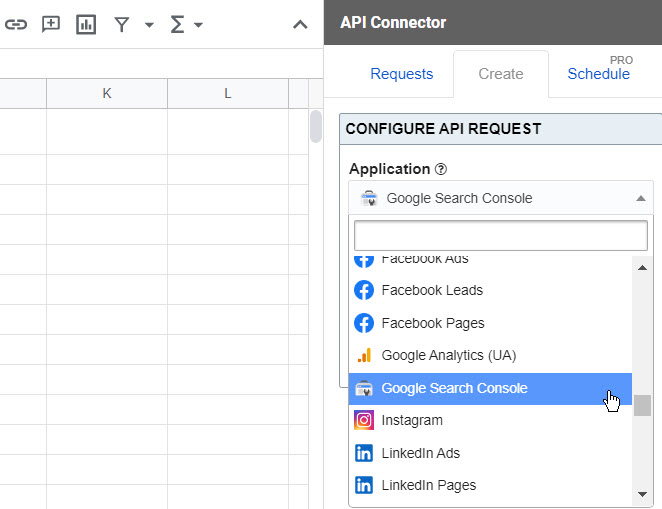
Image: Mixed Analytics homepage. The vendor's illustration shows a legacy interface, not a product test for this guide.
API Connector is suitable when you have an authorized API source but no specialist add-on for the exact report. It supports preset connections and custom requests inside Sheets.
In the product documentation and overview, requests can feed spreadsheet output, use selected fields and handle pagination. A practical pilot is one API endpoint, one date interval and a small page of results. Inspect the returned fields, choose the columns you need and save the request before automating it.
Budget calls rather than spreadsheet rows alone. The pricing FAQ says paginated and multi-query requests count an API call for each loop. A report that fetches several pages spends several requests.
The ongoing Free plan has no scheduling; Starter adds daily scheduling. API Connector's subscription covers the connector, while the upstream service controls authentication, access and data charges. Choose a managed GSC connector when you would rather avoid configuring requests and maintaining their parameters.
10. Apipheny
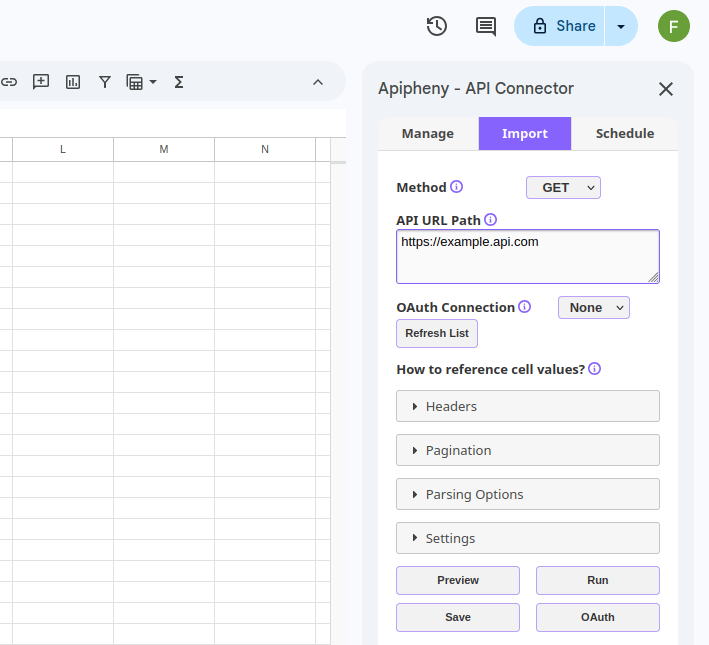
Image: Apipheny homepage.
Apipheny is another custom-API option, with a per-seat starting plan and saved-call limits for each sheet.
For an SEO research feed, begin with a documented read-only request from a service you are authorized to use. Enter its method and URL, configure the required authentication and headers, preview the response, then save a small successful request. Keep credentials out of cells that you plan to distribute.
The Free allowance is useful for a small proof of concept. Before choosing Hobby, compare the features your request needs against the current plan matrix. Pagination, parsing controls, cell references and other advanced options should not be assumed available simply because the pricing table names them.
Choose between Apipheny and API Connector by checking your request's authentication, pagination, output shape, scheduling needs and license count. Both still depend on the source API's availability and fees. Neither produces keyword or backlink data merely because you installed it.
11. Supermetrics

Image: Supermetrics homepage.
Supermetrics suits teams that want managed marketing connectors rather than custom API requests. Its Search Console connector supports bringing search-performance data into destinations including Google Sheets.
A useful two-source pilot combines a GSC page report with a GA4 organic landing-page report. Keep the raw tabs separate and define a common page identifier before joining them. Query-level search rows and landing-page session totals have different meanings; duplicating a session total beside every query does not create query-level conversions.
The current Starter offer allows two sources and two accounts per source for one user and destination. Confirm that the desired connectors and refresh options are included in the configuration you purchase. More accounts or sources can change the cost.
Choose Supermetrics when maintaining several managed connections is valuable to your team. If one GSC property is the whole task, a specialist exporter can be simpler and cheaper.
12. Google Analytics (GA4) Reports by SyncWith
SyncWith's GA4 add-on listing describes templates, custom dimensions and metrics, multiple-account reporting and automatic updates. It is worth considering when you want reusable GA4 reports under a refresh-based subscription.
Start with an organic-search overview or a custom landing-page report. Select a fixed period, check the channel filter and validate a few totals against the equivalent GA4 report before scheduling updates. Keep a record of which properties and reports contribute to the workbook.
The main buying question is refresh frequency. Hobby has both a monthly account allowance and a lifetime allowance for each report: 35 refreshes per month overall, with each report expiring after 35 refreshes. It is therefore unsuitable as an indefinite free daily production report.
Business removes report expiry but allows 100 total refreshes per month. Count every report's scheduled runs before deciding that this is enough. Team subscription sharing is a higher-tier feature. Choose Google's free Reports Builder when its simpler GA4 workflow is sufficient.
13. Coupler.io

Image: Coupler.io homepage.
Coupler.io fits a research workflow built around reusable data imports. Its current Marketplace listing confirms the Google Sheets add-on, while its source catalog includes GA4 and Search Console.
For a content-performance workbook, connect one authorized property, select the necessary fields and date range, and send the result to a raw-data tab. Keep that feed separate from analysis formulas so a refresh does not overwrite your working calculations.
The ongoing Free plan is manual, with one source, account, destination and user. Starter adds daily refresh, but retains a 5,000-row-per-run limit and one user/destination. Check whether a selected report can fit before scheduling it.
Higher tiers add capabilities such as transformations and more frequent refreshes; do not infer them from the product-wide feature list. Choose Coupler.io when the import pipeline itself is the reusable asset. A custom API add-on is more appropriate when you need direct control over an unsupported endpoint.
14. Windsor.ai

Image: Windsor.ai homepage.
Windsor.ai is worth examining when account counts matter more than a single report. Its Sheets integration guide covers installing the extension, connecting sources, choosing Sheets as the destination and using the authorized Windsor setup.
For example, an agency could pilot one GSC property and one GA4 property before adding more sites. Use an account register that maps every imported dataset to its source account and client. A spreadsheet tab is not a new source account.
Basic currently includes three sources, 75 accounts in total, unlimited users and five destination tasks. That is an account allowance, not a promise that every source or region supplies the same history or fields. Its scheduled destination tasks run daily; faster task refreshes require a different plan.
The 30-day trial is broader than the ongoing Forever Free allowance. Free has one source/account/user and a 30-day history limit. Choose a specialist add-on when the extra account capacity and connected-source workflow would go unused.
15. Dataslayer
Dataslayer's Google Sheets product page lists Search Console, GA4 and other marketing sources. It is a candidate for managed reporting when you want a connector interface and defined source/account allowances.
A sensible pilot is one property, one daily report and a short period. Check the field selection and output before adding another connector. Starter's described capability limits are three connectors, one user, three accounts per connector and daily scheduling.
The current paid starting price could not be verified reliably. During this review, the live pricing page showed identical €20 cards, including a Free card, while its FAQ described Starter at €29 per month billed annually. Those statements conflict. Obtain a current written price and included limits before buying; neither number is used here as the confirmed starting charge.
The FAQ describes a 15-day trial followed by a limited Free plan with one connector, user and account and one manual refresh per day. Validate that allowance in your account. If a reliable upfront budget is essential, compare an alternative with an unambiguous published price first.
16. Two Minute Reports
Image: Two Minute Reports homepage.
Two Minute Reports suits an agency evaluating an account bundle rather than paying for individual connector seats. Its current Marketplace description includes GA4, Search Console, scheduled queries and Google Sheets reporting.
For a pilot, connect one client's GSC and GA4 accounts, create separate source reports and schedule an update only after validating the dates and dimensions. This provides a basis for deciding whether the broader reporting package is worth its cost.
The live pricing control was checked at three accounts per connector: USD 97 billed monthly, or USD 81 per month equivalent billed yearly. Sheets and Looker Studio are included. Do not confuse the page's 100-account default display with the starting bundle.
Unlimited seats and queries are advertised, but that does not cancel source-platform quotas or guarantee instant data availability. Choose this when the bundle and agency reporting workflow fit; a single-property research task may not justify the subscription.
17. Adveronix
Adveronix offers an in-Sheets route to several useful research sources. Its current Marketplace listing, updated October 30, 2026, names Search Console, GA4 and PageSpeed integrations as well as scheduled report updates.
A small evaluation could pull page-performance data from GSC and a separate PageSpeed dataset for selected landing pages. Keep them in separate raw tabs, then compare a short, reviewed URL list. Record the metric, date and measurement context; a PageSpeed result should not be relabeled as a ranking or conversion measurement.
The important unresolved detail is the commercial boundary. Marketplace describes the add-on as free of charge with paid features, but the reviewed public material does not disclose a usable starting paid price or precise free allowances. Do not assume a particular connector, schedule or row count is permanently free.
Choose Adveronix for a limited evaluation when you can verify the specific allowance inside the product before depending on it. If you need a documented long-term reporting budget immediately, prefer an option whose relevant plan and limits are publicly clear.
18. Power Tools
Power Tools belongs at the preparation stage of SEO research. Ablebits documents matching and merging datasets, finding duplicates, extracting text and links, trimming excess spaces and other spreadsheet operations. It does not collect keyword or backlink data.
Use it when you already have exports that need reconciliation. For example, copy two keyword lists into a working file, normalize unwanted spaces and compare them for matches. Keep source, country and date columns so identical text from different markets does not become one supposedly duplicate observation.
Choose the duplicate key deliberately. A row representing a query, page, country and device is different from a row representing only a query. Removing duplicates on the wrong subset can discard meaningful evidence. Likewise, do not lowercase URL paths or delete parameters simply to make a join succeed.
The paid bundle is most useful for repeated preparation work that exceeds the built-in commands you need. For a one-off trim or duplicate removal, try Sheets' native options first. Power Tools includes related cleanup functions, so they are not counted here as separate recommended products.
Check one research workflow before paying
Choose the smallest tool that answers a real question, then validate a small output before making it part of your reporting routine.
- Write the question. For example: “Which non-brand query/page pairs lost clicks in the US on mobile?” That needs authorized GSC data, not a new competitor database.
- Check access before installing. Use the official Marketplace link, review the requested permissions and confirm that your account can access the property, campaign or paid API.
- Fix the reporting scope. Record source, account, country, device, search type, dates and retrieval time. A rank observation needs its location and timestamp; the keyword ranking report guide explains useful reporting context.
- Validate representative rows. Compare ten selected rows with the same source report and settings. Investigate missing data, pagination and field compatibility before blaming or trusting a large export.
- Join at a defined level. Use the complete key needed by the report. Do not attach one page's GA4 sessions to every query and sum the repeated values.
- Calculate ratios from totals. For combined GSC rows, calculate CTR as total clicks divided by total impressions. Averaging row CTRs gives a different result when impression counts differ.
- Budget refreshes and credits. Four reports refreshed daily in a 31-day month need 124 report refreshes. API pagination can add further calls. Compare that workload with the exact plan, not a headline “unlimited reports” claim.
- Keep a dated snapshot. Save the scope and a values-only output for the research decision. Restrict the live credential-backed sheet to people who need it.
A successful pilot produces understandable rows, known costs and a repeatable decision. If those are missing, adding more extensions will not fix the research.